WooCommerce Shop Page Not Showing Products
June 9, 2026 Written by Maria


June 9, 2026 Written by Maria


WooCommerce WordPress not showing products on shop page is a frustrating issue that can affect both store owners and customers. You may have successfully added products, configured your store, and published everything correctly, only to discover that the shop page appears empty. When products are missing from your storefront, customers cannot browse your inventory, which can directly impact sales and user experience.
This problem can occur for several reasons, ranging from incorrect WooCommerce settings and product visibility options to theme conflicts, plugin incompatibilities, caching issues, or database-related problems. In some cases, products may exist in the dashboard but remain hidden from visitors due to catalog settings or configuration errors.
The good news is that an empty shop page does not usually indicate a serious issue with your store. Most product display problems can be resolved by reviewing your WooCommerce settings, checking product visibility, testing for conflicts, and ensuring that your shop page is properly configured.
In this guide, you’ll learn the most common causes behind missing WooCommerce products, how to diagnose the issue step by step, and the practical fixes that can restore your shop page so customers can browse and purchase products without interruption.
If your shop page is not showing products there could be several reasons. Here are the most common ones and why they might be affecting your store:
You recently installed or updated a WordPress theme and it’s overriding WooCommerce’s default shop page settings. Many themes come with their own shop page templates and they might not be fully compatible with WooCommerce. This can result to missing products or a broken shop page.
WooCommerce requires a dedicated shop page to work correctly. If the shop page is not assigned correctly in WooCommerce settings, products will not show. This usually happens after you changed themes or modified page settings.
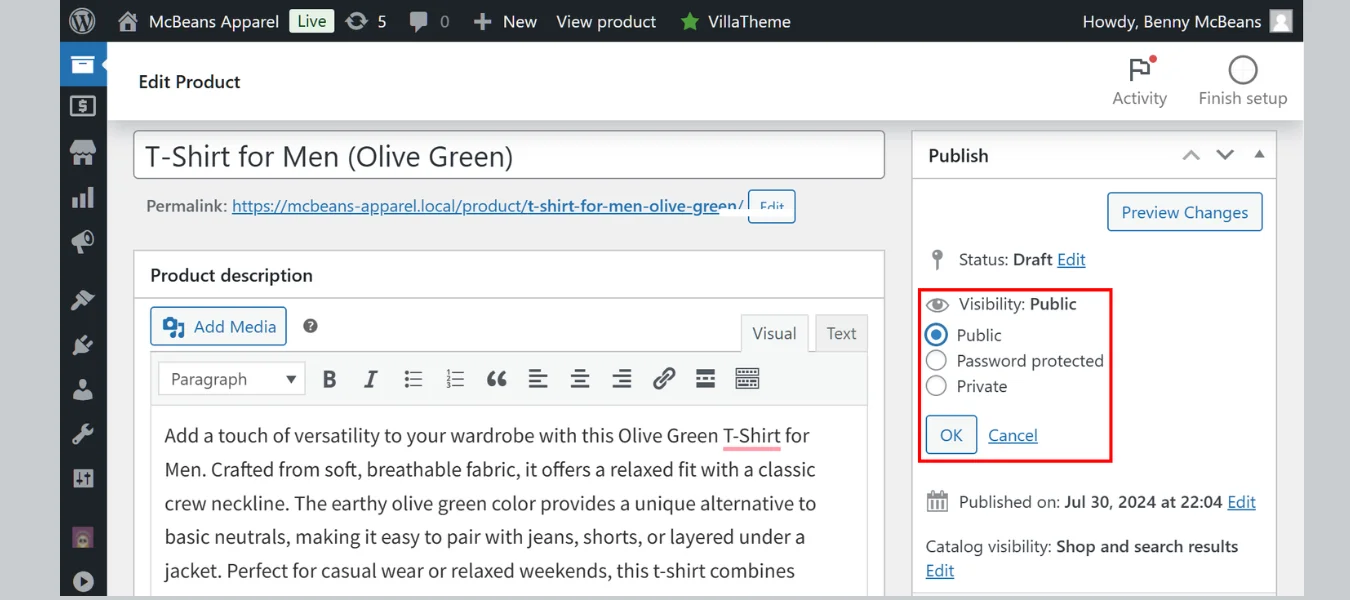
In some cases products might not show because their visibility is set to hidden. WooCommerce allows products to be excluded from catalog or search results which can prevent them from showing on the shop page.
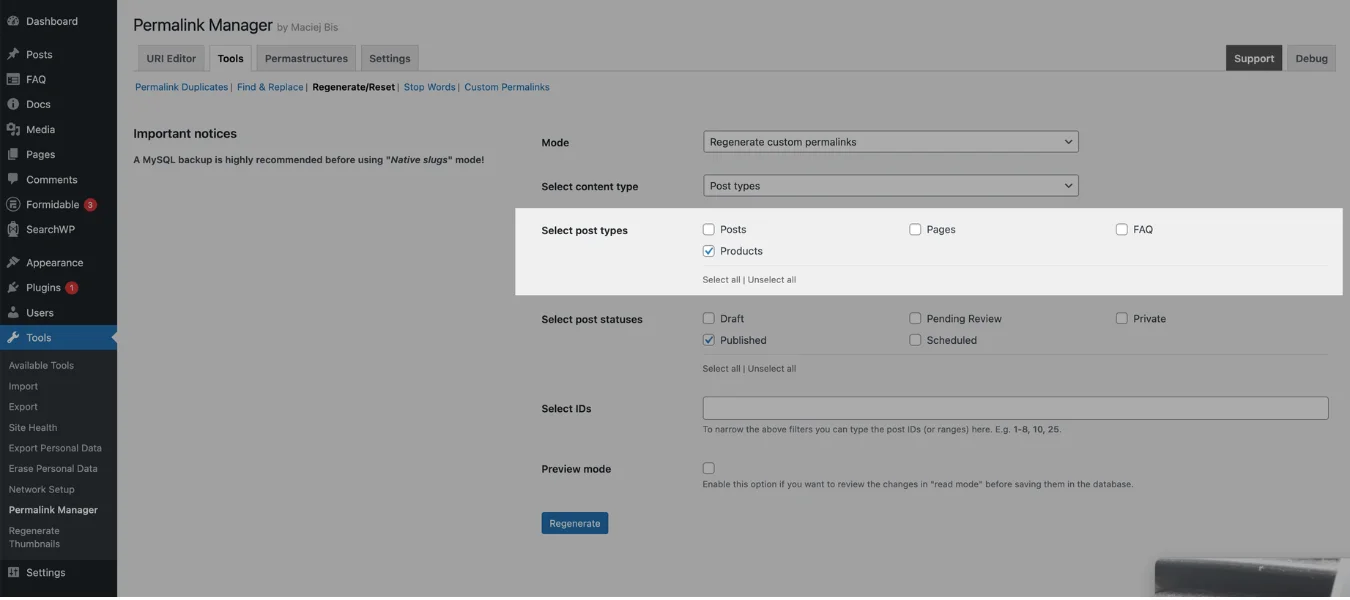
Permalinks are how URLs are structured on your website. If they are broken or outdated, WooCommerce might not be able to find and display your product pages correctly. Flushing permalinks can fix this and bring back missing products.
Caching can prevent updated content from being displayed. If you use a caching plugin, browser cache or a content delivery network (CDN) an old version of your shop page might be loading instead of the latest product list. Clearing your cache will often fix this.
Other WordPress plugins, especially those related to performance, security or page builders may conflict with WooCommerce. If a plugin modifies how pages are displayed or restricts certain elements it may prevent products from showing up on your shop page.
Keeping WooCommerce up to date is crucial for compatibility with your theme and other plugins. Running an outdated version of WooCommerce can cause display issues, missing products and functionality errors on your shop page.
WooCommerce hides out of stock products by default. If your products are set to out of stock they will not show up on the shop page. Checking and updating product stock settings will help ensure all available products are displayed correctly.
Now that you know why your WooCommerce shop page isn’t showing products, let’s go through the solutions step by step.
By following these steps, you should be able to ensure your WooCommerce shop page loads the latest version and shows your products correctly.
If you find a plugin is the issue, you can either find an alternative plugin with similar functionality or contact the plugin developer.
If your WooCommerce shop page is not showing products, it might be a conflict between WooCommerce and your current WordPress theme. Some themes have custom shop page templates that are not fully compatible with WooCommerce causing display issues.
If your shop page is only showing certain products or is empty, product categories and filters might be restricting what’s showing.
Make sure product categories are set up correctly:
If your WooCommerce shop page isn’t showing products, don’t stress—most of the time it’s fixable with the right steps. Whether it’s a missing page assignment, broken permalinks, caching conflicts or hidden product settings, find the root cause and fix it and your store will be back up and running.
To keep your WooCommerce store running smoothly, update WooCommerce, your theme and plugins regularly. Clear cache often, refresh permalinks and check visibility and stock settings to prevent future problems. Also, make regular backups and you’ll be saved from unexpected downtime.
If you’ve tried all the solutions and your shop page still isn’t showing products, try testing with a default theme, disabling conflicting plugins or reach out to WooCommerce support or your hosting provider.
A working shop page is crucial for conversions and customer satisfaction. Fix it today and have a smooth experience for your visitors!
Your shop page might be blank due to caching, theme or plugin conflict, incorrect shop page settings or broken permalinks. Follow these steps to find and fix the issue.
Go to WooCommerce > Settings > Products and select your shop page from the Shop Page dropdown. Click Save Changes then refresh your site.
Check each product’s stock by going to Products > All Products and making sure each product is set to In Stock under Inventory.
Your shop page might be filtering products due to category settings, stock or a plugin conflict. Check WooCommerce > Settings > Products for active filters and make sure all products are correctly categorised.
Go to Settings > Permalinks select Post Name then click Save Changes to refresh your permalinks.
Switch to the Storefront theme (WooCommerce’s default theme) by going to Appearance > Themes and activating it. If your products reappear the issue is with your theme. Contact the theme developer for support.
A blank WooCommerce shop page is usually caused by incorrect shop page settings, product visibility restrictions, theme conflicts, plugin incompatibilities, or caching issues. Start by verifying that the correct page is assigned as the Shop page under WooCommerce settings and ensure your products are published and visible in the catalog.
If WooCommerce products are not showing on the shop page, check that the products are set to Published, have stock available (if inventory management is enabled), and are not hidden from the catalog. Also review category filters, permalink settings, and recently installed plugins that may be affecting product queries.
WooCommerce-related products may not appear if products do not share categories or tags, the theme overrides the default WooCommerce layout, or a customization disables related products. Assigning relevant categories and tags to products and testing with a default WordPress theme can help restore related product displays.

Elevate your WordPress hosting with 30-day money-back guarantee, free migration, and 24/7 support.
Sign Up Today
September 28, 2026
Nitish

Before You Go… Get 1 Month FREE on Rocon Hosting!

Experience lightning-fast speeds

No downtime or hidden fees

Dedicated 24/7 expert support

Leave a Reply