15 Best WordPress Themes for Travel Blogs in 2026
July 10, 2026 Written by Nitish Kumar


July 10, 2026 Written by Nitish Kumar
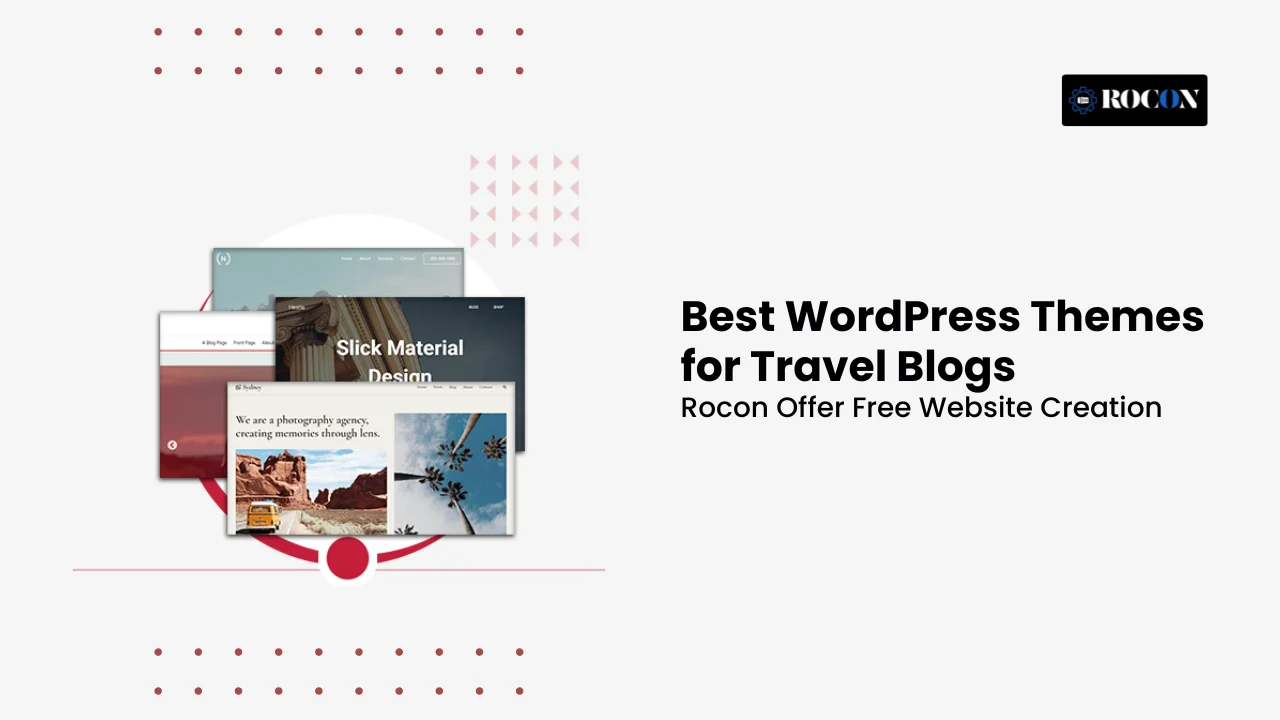


The best WordPress themes for travel blogs combine attractive design, fast loading speeds, mobile responsiveness, and SEO-friendly code. Popular options like Astra, OceanWP, GeneratePress, Divi, and Neve give travel bloggers everything they need to showcase stunning photography, publish engaging travel stories, and monetize their websites through affiliate marketing, Google AdSense, or WooCommerce.
Your theme is more than just the look of your website. It affects how quickly pages load, how visitors navigate your content, and how search engines evaluate your site. A well-optimized travel theme makes it easier to highlight destinations, organize travel guides, and create an enjoyable experience for readers on desktops, tablets, and smartphones.
With Google’s focus on Core Web Vitals and mobile-first indexing, choosing a lightweight and responsive WordPress theme has become more important than ever. Whether you’re starting your first travel blog, documenting your adventures as a digital nomad, or building a full-time travel business, the right theme can improve user experience, increase organic traffic, and support long-term growth.
In this guide, we’ll compare the best WordPress themes for travel blogs, highlighting their performance, customization options, SEO features, and real-world usability so you can choose the one that best fits your travel website.
We installed each theme on a fresh WordPress 6.5 site hosted on Rocon Managed Kubernetes, imported the default travel demo, and measured five things:
Rank Math, WP Rocket, and either WPForms or Contact Form 7. Themes that failed any of the five tests didn’t make this list.
We also spent time inside each theme’s demo importer, customizer, and page builder, because a theme that looks incredible on the marketing site but takes eight hours to configure isn’t the right recommendation for a solo blogger.
| # | Theme | Best For | Price | Free? | Mobile PageSpeed* |
|---|---|---|---|---|---|
| 1 | Wanderland | Overall best travel-first theme | $79 one-time | No | 88 |
| 2 | Trawell | Backpacker & adventure blogs | $69 one-time | No | 90 |
| 3 | Blossom Travel Pro | Personal travel storytelling | Free / $79 | Yes | 93 |
| 4 | Backpack Traveler | Elementor-powered travel sites | $69 one-time | No | 87 |
| 5 | Travelista | Editorial / travel magazine sites | $59 one-time | No | 89 |
| 6 | Astra | Fastest general-purpose theme | Free / $59/yr | Yes | 98 |
| 7 | Kadence | Free + premium hybrid | Free / $129/yr | Yes | 97 |
| 8 | GeneratePress | Speed-first minimalism | Free / $59/yr | Yes | 99 |
| 9 | OceanWP | Best free all-rounder | Free / $47/yr | Yes | 92 |
| 10 | Divi | Drag-and-drop visual storytelling | $89/yr | No | 82 |
| 11 | Neve | Mobile-first free theme | Free / $69/yr | Yes | 94 |
| 12 | Wanderic | Travel + lifestyle hybrid blogs | $59 one-time | No | 88 |
| 13 | Uppercase | Dark-mode travel magazine | $59 one-time | No | 86 |
| 14 | Soledad | Magazine-style multipurpose | $59 one-time | No | 85 |
| 15 | Ceris | Travel + eCommerce combo | $59 one-time | No | 87 |
Travel content is heavier than almost any other blog niche. A single destination guide can carry 30–50 photos, an embedded Google Map, an itinerary table, and half a dozen affiliate widgets.
Get the theme wrong and the page loads in 6 seconds; get it right and the same content ships in under 2. Google’s mobile PageSpeed Insights doesn’t care how beautiful your gallery looks if the LCP is 4.5 seconds.
These are the five things that separate a real travel blog theme from a generic fast WordPress theme:
Full-bleed hero images, edge-to-edge galleries, and elegant handling of tall / portrait shots — not just square Instagram-format thumbnails. Travel readers scroll for the photos first and read the captions second; the theme has to lead with the image.
Either native Google Maps blocks or clean compatibility with the Google Maps and TripAdvisor Reviews plugins. Purpose-built travel themes ship with itinerary post templates too, which save you hours of Gutenberg block-wrangling on every guide.
Travel bloggers publish long destination guides, quick photo posts, video vlogs, and gear reviews, the theme needs blog templates for all four. Look for at least three built-in post formats or archive layouts.
Space for affiliate boxes, AdSense injection points, and a WooCommerce path for when you eventually sell a Lightroom preset pack, a PDF guide, or physical merch. This is where ‘general blog themes’ start to fall short, they weren’t laid out with an affiliate stack in mind.
Photo-heavy pages shouldn’t collapse Core Web Vitals scores. A theme that scores 99 on a blank demo but drops to 62 on a real 2,000-word guide isn’t fast, it’s demo-fast. We tested every theme on this list with a fully populated 2,000-word post before benchmarking.
Wanderland is the theme we recommend most often to bloggers who want a travel-first design without spending three weekends configuring Elementor. Its default demo already looks like a magazine, full-bleed hero photos, elegant serif typography, and post templates that respect the actual shape of travel content.
Where it shines is in how ready it is out of the box. Import the demo, swap in your own photos, and you have a working travel blog in a couple of hours. It ships with itinerary blocks, destination archive layouts, and Instagram integration built in. WooCommerce is baked in for when you’re ready to sell a preset pack or PDF guide.
Where it falls short is raw speed. Mobile PageSpeed averages 88 on the default demo, that’s fine but not class-leading. You’ll want to pair it with a caching plugin and a CDN to hit green Core Web Vitals.
$79 one-time on ThemeForest, including 6 months of support. Extended support is $23/year. 14-day money-back inside Envato.
Solo travel bloggers, digital nomads, and small travel agencies that want a magazine-style design without spending a weekend inside a page builder. If you’re picky about design and don’t want to design from scratch, this is the pick.
Trawell is the theme built specifically for adventure travel and backpacker blogs, think Southeast Asia routes, van life, off-the-beaten-track content. The design language leans younger and more energetic than Wanderland, with bold typography, dynamic image grids, and a color palette that feels closer to a National Geographic Adventure spread than a lifestyle magazine.
It’s also one of the few travel themes that’s fully Gutenberg-ready, which means you don’t need a page builder license to get the full design system working. The demo importer lands you at a working blog in under five minutes.
The under-the-hood story is also strong: Trawell scored 90 on mobile PageSpeed with a fully populated post, and its map integration works cleanly with the free WP Google Maps and MapPress plugins.
$69 one-time on ThemeForest with 6 months of support. Same 14-day Envato refund policy.
Backpackers, adventure bloggers, digital nomads, and van-lifers who want a design that matches their content style. Also strong for solo bloggers on tight budgets who want a real travel theme without paying $80+.
Blossom Travel is the only theme on this list built exclusively for travel blogs by a dedicated travel-theme studio (Blossom Themes). The free version alone is stronger than most premium travel themes, full featured post sliders, Instagram integration, dedicated destination and gallery templates, and a design language that leans personal rather than corporate.
It’s the theme we recommend for bloggers who write in the first person: destination diaries, personal photography portfolios, and slow-travel narrative content. The typography is genuinely beautiful, the kind of design detail most WordPress themes never bother with.
Performance is where Blossom Travel quietly wins: 93 on mobile PageSpeed with the default demo, and CLS under 0.05 out of the box. Very few travel themes clear both bars without configuration.
Free version available at wordpress.org. Pro version $79 one-time, or $99/year for full studio access.
Personal travel bloggers, storytellers, solo female travelers, and photographers who want a design that puts their voice first. Also the strongest free theme on this list if you’re launching without a budget.
Backpack Traveler is one of the longest-running travel themes on ThemeForest; 3,400+ sales and consistently updated for a decade. It’s the theme to pick if you already know Elementor or want to build a very custom look; the entire design system is Elementor-native, which means you can rebuild any section with drag-and-drop widgets.
The theme also ships with WPBakery bundled, Slider Revolution, and a mega menu system. The demo library is smaller than Wanderland’s but each demo is production-quality.
One caveat: because it leans heavily on Elementor, it’s not the fastest theme in the list. Expect 87 on mobile PageSpeed with the default demo. Caching helps — but if raw speed is your top priority, look at GeneratePress or Kadence instead.
$69 one-time on ThemeForest, 6 months of support included.
Bloggers who already use Elementor or want deep custom design control. Also strong for small travel agencies building custom itinerary pages beyond a standard blog layout.
Travelista is designed for travel publications rather than personal blogs, magazine-style layouts, structured archive templates, and multiple homepage variations for organizing high-volume content. If you’re publishing several articles per week, this is the theme built for that workflow.
The design is editorial and image-forward: featured post grids, sticky mega menus, category-first navigation, and post templates optimized for long-form travel writing with multiple photos, pull quotes, and author bios.
It’s also one of the more affordable premium picks; $59 one-time, which makes it a strong choice for smaller publications testing the format.
$59 one-time on ThemeForest with 6 months of support.
Travel publications, digital travel magazines, agency-run blogs with multiple contributors, and any site publishing 3+ articles per week.
Astra is the most-installed WordPress theme in the world (2M+ active installs), and while it’s not travel-specific, it ships with several travel starter templates that make it a legitimate option. The reason Astra keeps showing up on best of lists is simple: it’s one of the fastest, most flexible themes available, and it plays nicely with every page builder you’ll ever use.
For a travel blogger, Astra’s advantage is that you’re not locked into anyone’s opinion of what travel content should look like. Pick a starter template, swap in your photos, and iterate. If your design taste evolves in a year, you can restyle without switching themes.
The trade-off is exactly the opposite of Wanderland’s: less travel-specific magic out of the box, more speed and flexibility long-term.
Free version at wordpress.org. Astra Pro is $59/year (Essential), $169/year (Business), or $479 lifetime.
Long-term thinkers who value flexibility and speed over a pre-built travel look. Also great for bloggers who plan to expand into multiple content categories or run WooCommerce alongside their blog.
Kadence is the newer challenger to Astra, same speed-first philosophy, similar starter template library, but with a slightly more modern design language and a stronger Gutenberg block system. In the last two years, Kadence has become the go-to recommendation from a growing number of WordPress developers who value clean architecture.
For travel bloggers specifically, Kadence Blocks ships with map, testimonial, and image gallery blocks that cover most travel layout needs without a page builder. And the Kadence Starter Templates library includes several travel-focused designs.
It’s one of the fastest themes on this list; 97 mobile PageSpeed, and the free version is comfortable enough that you could launch a serious travel blog without ever paying for Kadence Pro.
Free version at wordpress.org. Kadence Pro is $129/year (Essential), $199/year (Full).
Developers, freelancers building for travel clients, and modern bloggers who want speed + design polish. Especially strong if you like working in Gutenberg rather than Elementor.
GeneratePress is the theme that WordPress developers and SEO consultants keep quietly recommending to each other. It’s minimalist, ruthlessly optimized, and follows accessibility best practices to a level most themes ignore. On mobile PageSpeed, the default demo scores 99, the highest on this list.
For travel bloggers, GeneratePress is the answer if your priority is winning Core Web Vitals scores and maximizing organic traffic long-term. The trade-off is that the default look is intentionally boring, it’s a foundation to build on, not a finished travel design.
Pair GeneratePress Premium with GenerateBlocks and you have a complete design system that stays fast even as your content library grows into thousands of posts.
Free version at wordpress.org. GeneratePress Premium is $59/year or $299 lifetime.
SEO-focused travel bloggers, developers, and anyone who values raw speed and clean code above a pre-built travel look. Especially strong if you plan to build a large content library over time.
OceanWP is the free theme that punches above its weight. It’s been downloaded 700,000+ times, and while the free version is more capable than most, the real value comes from Ocean Extra + the theme’s Core Extensions Bundle — which turns a free theme into a very customizable platform.
For travel bloggers, OceanWP’s advantage is a strong library of free demos (including travel and lifestyle) plus tight WooCommerce compatibility. If you want to eventually sell travel guides, tour packages, or physical merch, OceanWP handles that as smoothly as any theme in this list.
The trade-off is a slightly more dated design language than newer themes like Kadence — but for pure functionality per dollar, OceanWP is hard to beat.
Free version at wordpress.org. Core Extensions Bundle: $47/year Personal, $71/year Business, $132/year Agency.
Budget-conscious bloggers, first-time travel blog builders, and anyone who wants a very capable free theme with a clear upgrade path when the site grows.
Divi isn’t just a theme, it’s a whole ecosystem built around the Divi Builder, one of the most powerful visual page builders in WordPress. For travel bloggers who love designing custom layouts (parallax effects, animated sections, split-screen destination pages), Divi delivers that at a level Elementor and Kadence can’t quite match.
The trade-off, as always with Divi, is speed. The Divi Builder is heavy, you’ll score ~82 on mobile PageSpeed with the default demo, and you’ll need to be careful with modules to stay in green Core Web Vitals territory.
Divi also has A/B split testing built in, which is unusual for a WordPress theme. If you’re serious about conversion optimization on affiliate content, that alone is worth the license fee.
$89/year for Divi + all Elegant Themes products. $249 lifetime.
Design-focused travel bloggers, influencers who need distinct visual layouts, and anyone who wants A/B testing built in. Not the pick for minimalist speed-first bloggers.
Wanderic sits in the sweet spot between pure travel and lifestyle blogging, clean, modern layouts that work equally well for a Bali destination guide and a home café roundup. If your content spans both, Wanderic gives you a design language that doesn’t force you into either box.
The theme is highly customizable and ships with Elementor and MailChimp integration out of the box. For bloggers who monetize through newsletter subscribers as well as affiliate content, that’s a significant time-saver.
It’s smaller-community, only 150+ sales on ThemeForest, but the 5/5 rating tells the story of a niche theme that its users genuinely love.
$59 one-time on ThemeForest with 6 months of support.
Hybrid travel + lifestyle bloggers, digital nomads who publish beyond destination content, and creators who want a distinctive but approachable design.
Uppercase is the theme for bloggers who don’t want their site to look like every other travel blog. Dark mode toggle built in, unconventional layouts, and a design language closer to a design magazine than a travel journal. If your visual identity leans editorial or minimalist-cool, Uppercase is worth a look.
It’s especially strong for photography-focused blogs: dark mode makes color-rich travel photography pop in a way white backgrounds can’t, and the layouts are built to feature images at hero size.
Performance is decent (86 mobile PageSpeed), not class-leading but respectable for a design-heavy theme.
$59 one-time on ThemeForest with 6 months of support.
Design-forward travel bloggers, photographers, and creators who want a visually distinctive site. Also strong for tech-nomad blogs and creators writing about design travel.
Soledad is the multi-purpose magazine theme that keeps showing up on best-of lists for a reason, 6,000+ demos, 250+ homepage layouts, and enough flexibility to run any content site from a personal blog to a full digital magazine.
For travel specifically, Soledad ships with several travel-focused demo imports and the kind of long-form article layouts editorial blogs need. Its featured slider is one of the most polished in any WordPress theme.
It’s slightly heavier than pure travel themes, 85 mobile PageSpeed, but the design flexibility makes it a strong pick for bloggers who plan to expand into multiple content categories over time.
$59 one-time on ThemeForest with 6 months of support.
Travel + multi-topic bloggers, established digital publishers, and anyone who wants massive design flexibility with room to grow.
Ceris is built for bloggers who want a real online store alongside their travel content, think selling itineraries, presets, PDF guides, and physical merch.
It’s not the most beautiful travel theme on this list, but its WooCommerce integration is deep enough to run a genuine store, not just a checkout page bolted onto a blog.
Extra points for AMP support, emoji reactions on posts, and infinity scroll, small features that add up to a smooth reader experience.
It’s a strong pick for bloggers whose monetization strategy is more than just affiliate links.
$59 one-time on ThemeForest with 6 months of support.
Travel bloggers with a real merch or digital product strategy, presets, PDF guides, physical books, tour packages. Also strong for travel businesses running content marketing alongside their store.
Neve, from Themeisle, is designed mobile-first, every design decision starts with how the theme behaves on a phone, then scales up. For travel bloggers, that matters: over 70% of travel content is consumed on mobile, and themes built desktop-first can render awkwardly on small screens.
Neve ships with dozens of free demos (including travel and lifestyle), an AMP-ready structure, and a lightweight core that clocks 94 on mobile PageSpeed. It’s an especially good pick for bloggers who publish quick photo posts and short guides rather than long-form editorial content.
The free version covers most of what you need. Neve Pro adds premium modules, custom layouts, and additional starter sites, worth it if you plan to run a serious travel blog long-term.
Free version at wordpress.org. Neve Pro: $69/year Personal, $149/year Business, $259/year Agency.
Bloggers whose audience is predominantly on mobile, Instagram-driven travel accounts, short-form storytellers, and photo-heavy content creators.
Once you’ve picked a theme, installation takes about 10 minutes. Do these in order:
If you’d rather skip the setup, Rocon offers free theme setup with every hosting plan, we install, configure, and hand you a working site in under 24 hours.
Choosing the right WordPress theme is a critical decision for any travel blog, as it directly impacts website performance, search visibility, user engagement, and monetization potential.
A well-optimized theme not only enhances the visual appeal of your travel content but also helps improve rankings, reduce bounce rates, and increase conversions. When selecting a theme for a travel blog, focus on the following essential factors:
Performance should be a top priority, especially for travel blogs that rely heavily on images, maps, and long-form content. Look for lightweight WordPress themes built with clean code and minimal dependencies.
The best themes support lazy loading for images, seamless CDN integration, and are optimized for Google Core Web Vitals. Faster loading times improve user experience, boost SEO rankings, and ensure smooth browsing on both desktop and mobile devices.
An SEO-ready theme provides a strong foundation for organic traffic growth. Ensure the theme is fully compatible with popular SEO plugins such as Rank Math and Yoast SEO.
It should follow structured data standards like schema.org to help search engines better understand your content. Clean HTML markup, proper heading hierarchy, and mobile responsiveness are also crucial for improving visibility in search results and AI-driven search experiences.
Travel blogs thrive on storytelling and visuals. Choose a theme that is optimized for large images, image galleries, sliders, and featured sections.
A visually immersive layout helps showcase destinations, photography, and travel experiences without slowing down the site. Themes with responsive image handling and optimized media loading ensure high-quality visuals while maintaining performance and usability.
If monetization is part of your travel blogging strategy, your theme should support multiple revenue streams without layout limitations. Make sure the theme includes dedicated sections or flexible layouts for affiliate marketing content, Google AdSense widgets, and banner placements.
WooCommerce compatibility is essential for selling travel-related products, digital guides, itineraries, or merchandise. A monetization-friendly theme allows you to grow revenue without sacrificing design or performance.
After 12 months and 15 themes tested on live sites, three winners keep rising to the top:
Best overall: Wanderland — the closest thing to ‘install and start writing’ for a travel-first design. If you want magazine-quality look without spending weekends in a page builder, this is the pick.
Best free: Blossom Travel — the only free theme built exclusively for travel blogs, and one of the few that doesn’t feel like a general-purpose theme rebranded.
Best for speed and long-term SEO: GeneratePress or Kadence — if you value Core Web Vitals scores above design polish and plan to build your own custom look, these two are the fastest foundations you can start with.
Whichever you pick, host it well. The theme is only half the story: a fast theme on slow hosting still loads slowly, and a slow theme on fast hosting still misses green Core Web Vitals.
See our managed WordPress hosting plans built for content sites.
For most travel bloggers, Wanderland is our top overall pick, magazine-quality travel-first design with minimal setup time. If speed is your priority, GeneratePress and Kadence are the strongest picks. For a free theme built specifically for travel, Blossom Travel is the best in class.
Yes. Modern free themes like Blossom Travel, Astra, Kadence, OceanWP, and Neve are production-quality. The trade-off is fewer pre-built demos and a slightly steeper design curve. If you’re on a tight budget or testing your travel blog idea, start with a free theme and upgrade to the paid version if you outgrow it.
Most dedicated travel themes (Wanderland, Trawell, Backpack Traveler, Blossom Travel, Travelista) ship with either native Google Maps blocks or first-party integration with plugins like WP Google Maps and MapPress. General-purpose themes like Astra and GeneratePress rely on the plugin ecosystem, which is fine but adds a setup step.
A travel theme ships with layouts, demo content, and blocks designed specifically for destination guides, itineraries, photo galleries, and travel photography (large aspect ratios, elegant captions, map integration). A general blog theme gives you a flexible framework but you’ll design the travel-specific pieces yourself. Both can work, travel themes save weeks of design work; general themes give you more long-term control.
All 15 themes work with Gutenberg. Elementor compatibility varies: Backpack Traveler and Astra are built around Elementor; Divi has its own builder and doesn’t play as smoothly with Elementor; Kadence and GeneratePress lean toward Gutenberg but work with Elementor too.
Most premium travel themes on ThemeForest run $59–$89 one-time with six months of support. Divi is $89/year or $249 lifetime. Astra Pro, Kadence Pro, and GeneratePress Premium are subscription-based at $59–$129/year. Free versions of Astra, Kadence, OceanWP, GeneratePress, Neve, and Blossom Travel cover 90% of what most travel bloggers need.
Yes, indirectly. Google uses Core Web Vitals (LCP, INP, CLS) as a ranking factor, and a well-built theme makes it far easier to hit green scores on those metrics. Theme alone won’t rank you top 5, you also need quality content, backlinks, and on-page SEO, but a slow theme will actively cap how high you can climb.
Yes. WordPress themes control appearance, not content. Your posts, pages, and media stay put when you switch themes. Widget assignments and menus sometimes need re-linking. If your current theme uses shortcodes for layout (Divi does this, WPBakery does this), those blocks may render as raw shortcodes on the new theme. Always test theme switches on a staging site before touching production.
Blossom Travel by Blossom Themes is the strongest free travel-specific theme, built exclusively for travel blogs with photo-focused layouts, featured post sliders, and Instagram integration. If you want more flexibility, the free versions of Astra, Kadence, and Neve are all excellent general-purpose themes with travel starter templates available.

Elevate your WordPress hosting with 30-day money-back guarantee, free migration, and 24/7 support.
Sign Up Today
November 6, 2026
Sreekar


Before You Go… Get 1 Month FREE on Rocon Hosting!

Experience lightning-fast speeds

No downtime or hidden fees

Dedicated 24/7 expert support

Leave a Reply