Blogger vs WordPress: Which Platform is Better for Blogging?
June 24, 2026 Written by Maria


June 24, 2026 Written by Maria


Choosing between Blogger vs WordPress comes down to what you want from your blog in the long run. Both platforms can help you publish content online, but they serve different types of users. Blogger is built for simplicity. It’s easy to start, free to use, and requires very little setup, which makes it appealing for casual bloggers or anyone who wants a basic publishing platform without dealing with hosting, plugins, or maintenance.
WordPress, on the other hand, is designed for flexibility, growth, and control. It gives you far more options for design, SEO, monetization, integrations, and long-term scalability, which is why it’s often the better fit for bloggers, businesses, and creators who want to build something beyond a simple blog. In this guide, we’ll compare Blogger vs WordPress across ease of use, customization, pricing, SEO, and growth potential so you can decide which platform makes the most sense for your goals.
Blogger is a free blogging platform operated by Google. It was founded in 1999 and bought by Google in 2003 It is one of the oldest blogging systems. Blogger is designed to be simple, allowing you to create a blog without any coding or technical experience.
Because Google hosts the platform, you will not be responsible for server configuration, security, or updates. It’s a done-for-you solution ideal for hobby bloggers or anyone seeking to express themselves online.
Unlike Blogger, WordPress is a full-featured content management system (CMS) that can be used for a wide range of applications, from basic blogs to complex websites. It was first released in 2003 and has since grown to power more than 43% of all websites globally.
There are two versions of WordPress, and recognizing the differences is critical:
Most professional bloggers use WordPress.org because of its flexibility, ownership and ability to scale and grow a blog into a full-fledged website.
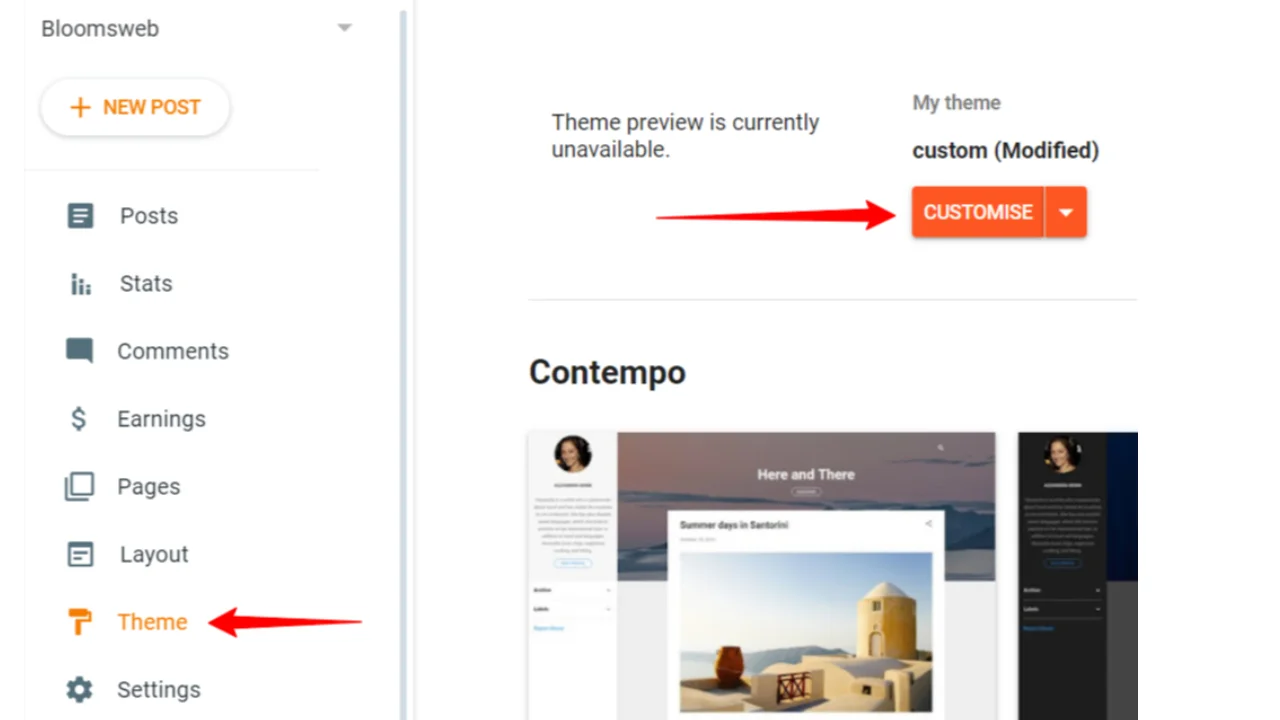
Blogger offers little customization possibilities, relying instead on pre-designed themes and minor layout adjustments. Users can customize the colors, fonts, and layouts, although personalization is limited. Blogger, unlike WordPress, does not accept plugins or additional functionality, thus you are limited to the most basic tools and features.
If you only require a blog-style website, Blogger’s design options will suffice. However, if you want to develop a unique website or integrate custom features, you will rapidly run out of options.
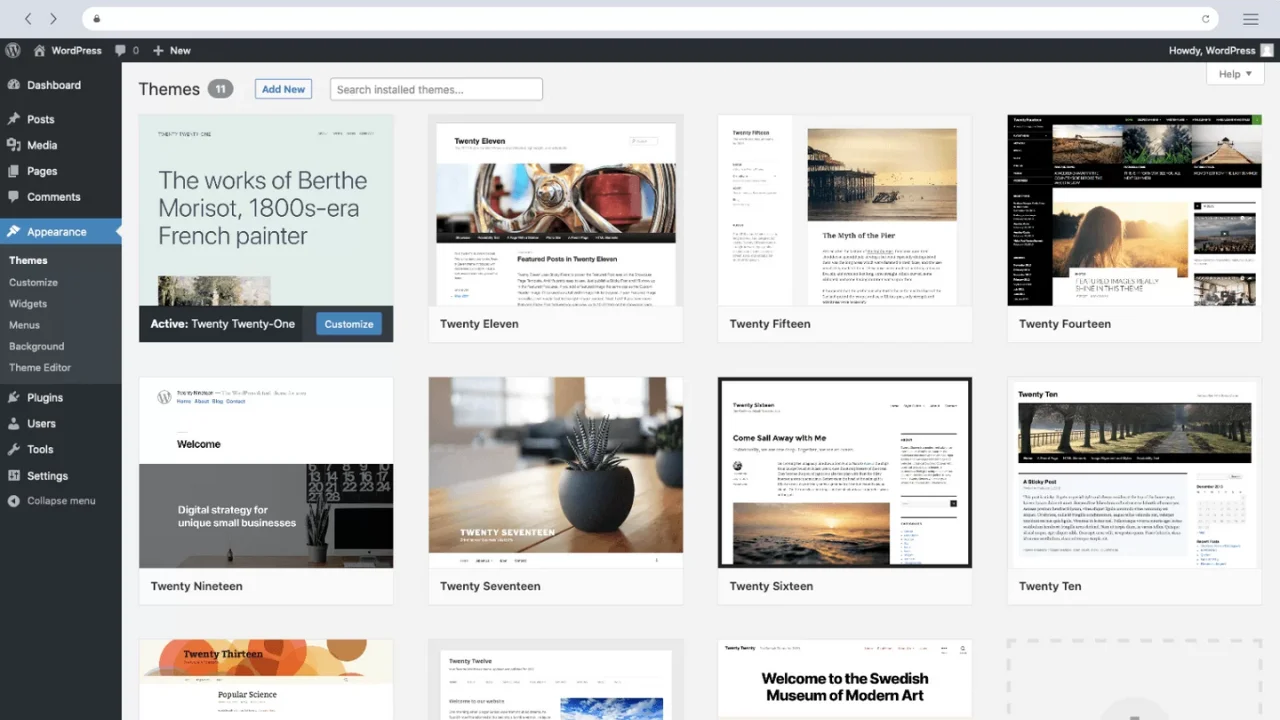
WordPress is the epitome of customization. It offers over 10,000 free and premium themes for creating great websites.
Over 60,000 plugins for social media integration, email marketing, interactive content, and more.
Drag-and-drop page builders such as Elementor, Divi, and WPBakery allow you to create a professional-looking site without coding.
You can start a personal blog, a commercial website, a portfolio, or even an online store. For expert users, the site can also be modified using custom CSS and code.
Since Blogger is powered by Google, many think blogs on Blogger get special ranking benefits—but that’s a myth. Blogger has basic SEO options, such as:
These limitations make it hard for Blogger sites to compete with well optimized WordPress sites in Google rankings.
WordPress is a SEO beast and dominates search engine rankings because of its flexibility. With plugins like:

One of Blogger’s best features is price. It’s free and Google provides free hosting.
For beginners on a tight budget, Blogger is a good option. But free hosting comes with a cost—you don’t own your website and you’re limited.
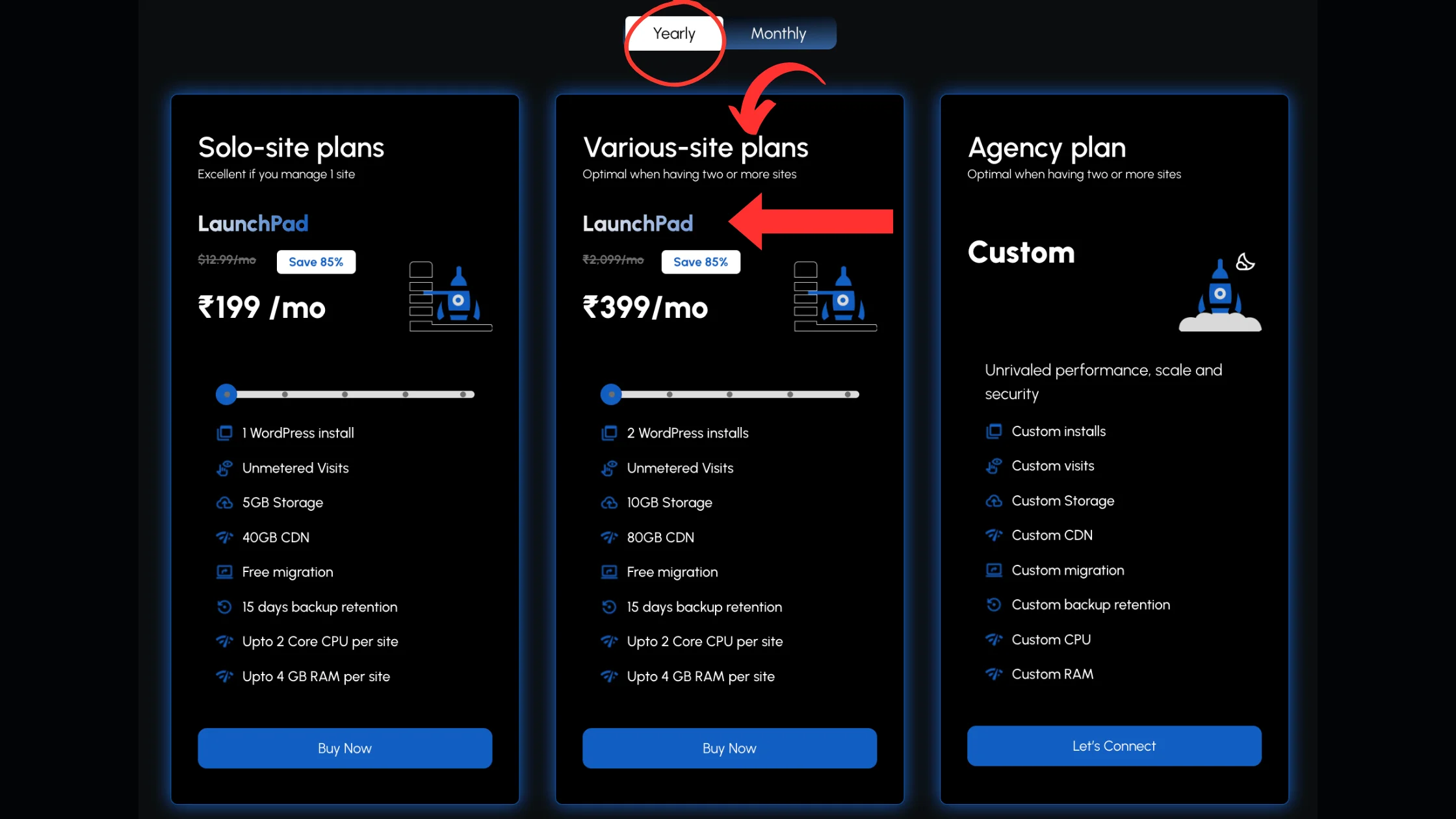
WordPress itself is free to install and use, but you need to pay for:
Although WordPress has upfront costs, it’s way better value in the long run especially if you plan to monetize or scale your blog.
Blogger works with Google AdSense, allowing you to earn money by displaying adverts:
WordPress is a far more profitable platform due to its adaptability. You can do this:
If you want to turn your blog into a full-time business, WordPress is an obvious choice.
Blogger is hosted on Google servers, thus there are no security changes required.
Google will protect against hacking and DDoS attacks.
One disadvantage is that Google owns your content and has the ability to remove it if they decide you’ve violated their terms.
If Google decides to shut down Blogger (like it has with other products), you will lose everything.
WordPress.org gives you ultimate control over your website. You can do this:
While WordPress does require some maintenance (such as theme and plugin upgrades), the independence and ownership are well worth it.
Blogger is ideal for non-technical users. Creating a blog is as easy as signing into your Google account, selecting a template, and getting started. The UI is straightforward, with basic customization options like changing colors, fonts, and layout.
Google hosts and handles everything, so you don’t have to be concerned about security, upgrades, or speed. However, there is little to personalize other than basic blogging tools, you will not have to learn anything.
WordPress, particularly the self-hosted WordPress.org version, offers additional features that require some understanding.Unlike Blogger, you will need to:
While it may appear challenging at first, WordPress provides an endless number of customization options. Users that learn WordPress will find it significantly more profitable in the long term because it enables them to develop professional-looking websites with advanced capabilities.
Blogger is suitable for small personal blogs or hobbies that don’t require much expansion. While you can create several blogs, the lack of advanced features, designs, and plugins prevents you from progressing beyond a basic blog.
Businesses, influencers, and professional bloggers seeking to expand their following, integrate marketing tools, or sell products will swiftly encounter Blogger’s limitations.
WordPress is designed for scalability. You can begin with a simple blog and grow into:
WordPress is open-source, meaning developers are constantly releasing new themes, plugins, and integrations, making it simple to scale your site as your audience increases. You also have complete control over SEO, marketing, and monetization, making it a long-term solution for bloggers and businesses.

So, while deciding between Blogger and WordPress, it all comes down to your requirements. Blogger is a wonderful option if you want a simple, free, and beginner-friendly blogging service with minimal customization. However, if you want complete control, sophisticated customization, improved SEO, and more monetization options, WordPress is the obvious choice.
Blogger is great for novice and casual bloggers, whereas WordPress has boundless scalability, allowing you to grow a simple blog into a full-fledged business, eCommerce store, or membership site. If you’re serious about blogging or online growth, investing in WordPress and reputable hosting (such as Rocon’s managed WordPress hosting) will result in better performance, security, and support. Blogger is for novices, whereas WordPress is for those who wish to build and monetise their website over time.
Yes, Blogger is free, but your domain name will be yourblog.blogspot.com unless you purchase a custom domain.
No, WordPress provides drag-and-drop builders like Elementor, so you don’t need coding skills.However, understanding the fundamentals of WordPress settings will be useful.
WordPress has improved SEO tools such as Yoast SEO and Rank Math, giving you greater control over rankings.Blogger provides basic SEO options but not advanced optimization.
Yes, you can migrate your Blogger content to WordPress in a few steps, including exporting your posts, installing WordPress, and redirecting old links.
WordPress is free but you need to pay for hosting (~$1–$15/month), domain (~$10/year) and optional premium themes or plugins.
7. What is the difference between Blogger vs WordPress?
The biggest difference between Blogger vs WordPress is control and flexibility. Blogger is a simple hosted blogging platform owned by Google, while WordPress is a full content management system that lets you customize design, functionality, SEO, and monetization much more deeply. Blogger is easier to start, but WordPress gives you far more room to grow.
You can create a basic eCommerce website in Blogger by adding product pages, payment buttons, and external checkout tools such as PayPal or third-party shopping cart services. However, Blogger is not built for full eCommerce functionality, so if you need product management, inventory, shipping, and checkout features, WordPress with WooCommerce is usually a much better option.

Elevate your WordPress hosting with 30-day money-back guarantee, free migration, and 24/7 support.
Sign Up Today
November 6, 2026
Sreekar


Before You Go… Get 1 Month FREE on Rocon Hosting!

Experience lightning-fast speeds

No downtime or hidden fees

Dedicated 24/7 expert support

Leave a Reply