7 Best Fully Managed WordPress Hosting Services for 2026
June 16, 2026 Written by Maria


June 16, 2026 Written by Maria


Choosing the best fully managed WordPress hosting service affects everything your visitors feel, page speed, uptime, security, and how well your site holds up as traffic grows. With fully managed WordPress hosting, the provider handles the technical layer (updates, backups, security, performance tuning) so you can focus on content and growth instead of servers.
This guide compares the leading fully managed WordPress hosting services for 2026 — Rocon, WP Engine, Kinsta, SiteGround, Hostinger, Cloudways, and Liquid Web on the factors that actually matter: real-world performance, security, support quality, scalability, and price. We explain who each one is best for, so you can pick with confidence.
Fully managed WordPress hosting means the provider takes care of the technical foundation of your site: WordPress core and plugin updates, automated backups, server-level security, caching, and ongoing performance tuning. Instead of you reacting to problems after they happen, the host works to prevent them.
It differs from managed or pro WordPress hosting mostly by degree. Plain shared hosting gives you a server and leaves WordPress to you. Managed usually adds automatic updates and backups. Fully managed means the environment is built specifically around how WordPress works and the host owns the whole stack from caching and CDN to security hardening and scaling. The result is a faster, more secure, more reliable site without you touching infrastructure.
For growing websites this is about consistency, not just convenience. When hosting is optimised at the infrastructure level for WordPress, your site handles traffic spikes, plugin-heavy builds, and long-term growth without the unpredictable slowdowns common on generic hosting.
To keep this comparison useful rather than promotional, we judged every provider against the same five criteria — the same factors we’d tell a friend to weigh:
Before comparing hosting providers, it’s important to understand what fully managed WordPress hosting actually means—and why it has become the preferred choice for serious WordPress sites.
Unlike traditional shared or VPS hosting, fully managed WordPress hosting is designed specifically around how WordPress works. The hosting provider handles the technical responsibilities that usually slow site owners down, including updates, backups, security hardening, and performance optimization. The result is a faster, more secure, and more reliable environment without the need to manage servers yourself.
For growing websites, this isn’t just about convenience. It’s about consistency. When your hosting is optimized at the infrastructure level for WordPress, your site is better equipped to handle traffic spikes, plugin-heavy setups, and long-term growth without unexpected performance issues.
| Provider | Starts from* | Best for | Standout strength |
|---|---|---|---|
| Rocon | $1.99/mo | Value seekers; agencies; container-based scaling | Modern container/Kubernetes stack; CDN, WAF, backups included; very low entry price |
| WP Engine | $30/mo | Businesses & developers wanting a polished platform | Mature tooling, staging, strong stability and support |
| Kinsta | $35/mo | Performance-focused sites & teams | Google Cloud premium tier; excellent dashboard |
| SiteGround | $2.99/mo | Beginners & small businesses | Ease of use, strong support, low intro price |
| Hostinger | $2.99/mo | Budget-conscious beginners | LiteSpeed stack, very affordable, WordPress.org-recommended |
| Cloudways | $11/mo | Developers wanting cloud choice | Choose your cloud (DO, AWS, GCP); flexible scaling |
| Liquid Web | $25/mo | High-touch business/enterprise | Fully managed with strong human support and SLAs |
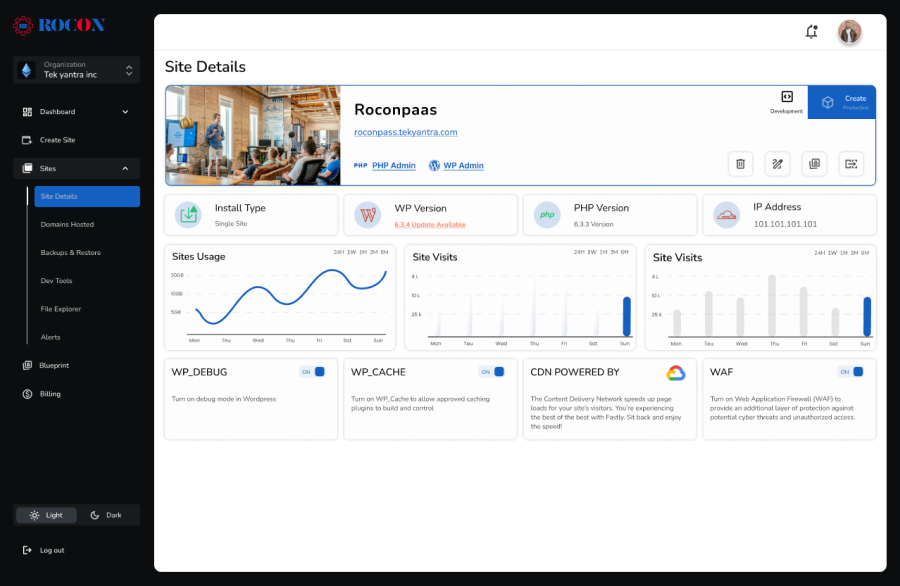
Rocon is a rising name in the managed WordPress hosting space, quickly gaining attention for its modern, container-based infrastructure and dependable customer support. While it’s newer compared to some established players, Rocon has carved out a reputation for offering a hosting experience that balances speed, reliability, and ease of use.
The platform is built to handle the needs of a wide range of WordPress sites—from personal blogs and small business websites to growing agencies and high-traffic projects. Its focus on performance optimization and scalability ensures that sites run smoothly even during sudden traffic spikes or as businesses expand.
Security is another area where Rocon stands out. With features like automated backups, malware scanning, and robust threat protection, site owners can focus on content and growth without worrying about technical vulnerabilities.
Beyond infrastructure, Rocon emphasizes support that feels personal and practical. Their team of WordPress experts is available to guide users through migrations, troubleshooting, and optimization, making the hosting experience less stressful and more efficient.
Rocon is ideal for small businesses and individuals looking for an affordable yet powerful managed WordPress hosting solution. Its cutting-edge technology and exceptional support make it a strong contender in the market.

WP Engine is one of the most recognized names in the managed WordPress hosting space, known for delivering reliable performance, strong security, and responsive customer support. Over the years, it has built a reputation for providing a stable and optimized environment for WordPress sites of all sizes.
The platform is designed to handle everything from small personal blogs to large enterprise websites, making it a versatile option for a wide range of users. Its infrastructure is optimized for speed, uptime, and WordPress-specific functionality, ensuring that sites run smoothly even during traffic spikes.
Beyond performance, WP Engine places a strong emphasis on security. With automated updates, daily backups, malware scans, and built-in threat detection, users can focus on their content and business growth without constantly worrying about technical issues.
WP Engine is ideal for businesses of all sizes looking for a reliable and high-performance hosting solution. Its robust security features and excellent support make it a top choice for serious WordPress users.

Kinsta is a leading managed WordPress hosting provider recognized for its speed, reliability, and scalable infrastructure. By leveraging the power of the Google Cloud Platform, Kinsta delivers exceptional performance, ensuring that WordPress sites load quickly and remain stable even during high-traffic periods.
Designed to serve a wide range of users—from bloggers and small businesses to large enterprises—Kinsta focuses on providing a hosting environment that is both robust and easy to manage. Its infrastructure is optimized for WordPress, meaning core updates, caching, and server resources are fine-tuned for maximum efficiency.
One of Kinsta’s key strengths is scalability. Whether you’re running a growing business site or a resource-heavy eCommerce store, Kinsta can handle traffic spikes and increased demand without compromising speed or reliability.
Security is also a priority. Kinsta provides automatic backups, proactive monitoring, and advanced security measures to protect sites from malware, DDoS attacks, and other vulnerabilities. This allows site owners to focus on their content and business growth rather than worrying about technical threats.
With a team of WordPress experts available for support, Kinsta combines powerful infrastructure with professional assistance. From migrations to troubleshooting and performance optimization, users can rely on timely, knowledgeable guidance whenever needed.
Kinsta is perfect for businesses that prioritize speed and scalability. Its user-friendly interface and robust infrastructure make it suitable for both beginners and advanced users.

SiteGround is a well-established hosting provider known for delivering reliable managed WordPress hosting combined with excellent customer support. With years of experience in the hosting industry, SiteGround has built a reputation for providing stable, secure, and user-friendly hosting environments for WordPress sites of all sizes.
The platform is designed to cater to a wide range of users—from personal bloggers and small business owners to growing eCommerce stores. SiteGround’s infrastructure focuses on performance, ensuring that websites load quickly and remain responsive even during periods of high traffic.
Security and reliability are central to SiteGround’s hosting. It offers features such as automated daily backups, free SSL certificates, proactive monitoring, and advanced threat detection to protect WordPress sites from malware, hacks, and downtime. This gives site owners peace of mind, knowing their website is safe and stable.
Another strength of SiteGround is its customer support. Their team of WordPress experts is available 24/7 via live chat, phone, or ticketing, providing timely guidance for migrations, troubleshooting, or optimizing site performance. This makes SiteGround particularly appealing to users who value hands-on assistance.
SiteGround is ideal for small to medium-sized businesses looking for affordable, reliable, and fully managed WordPress hosting. Its exceptional customer support and robust feature set make it a great choice for beginners.

Hostinger is a WordPress.org-recommended host built on a LiteSpeed stack, offering managed features at one of the lowest prices in the market. It includes in-house tools for setup and maintenance, free SSL, and a CDN. It’s a strong pick if budget is the deciding factor and your needs are modest.
Budget-conscious beginners and small/personal sites.

Cloudways sits between managed simplicity and cloud control: you pick the underlying cloud (DigitalOcean, AWS, Google Cloud) and Cloudways manages the WordPress layer on top — caching, backups, staging, and one-click scaling. Pricing is usage-based and starts around $11/month, making it flexible for developers and agencies.
Developers and agencies who want cloud choice with managed convenience.
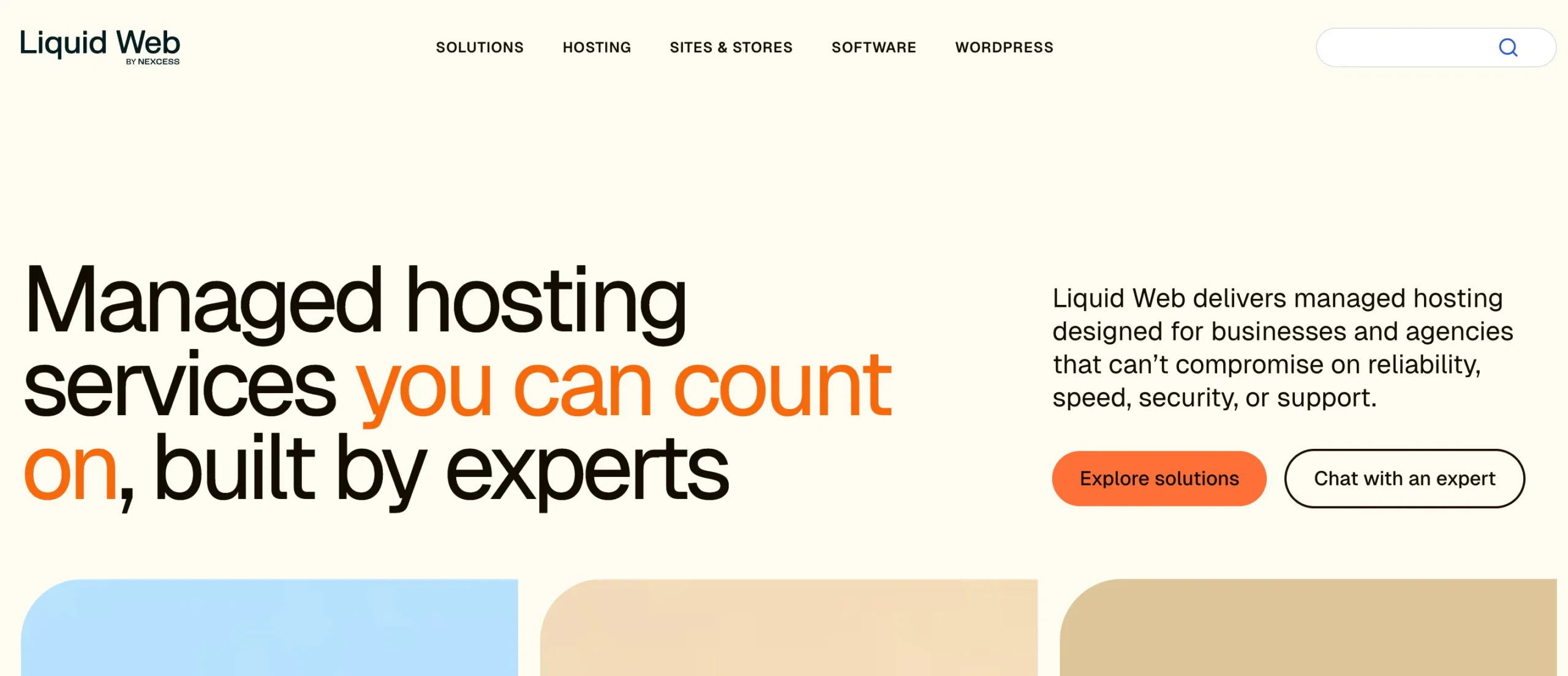
Liquid Web targets businesses that want a genuinely hands-off, high-support experience, with optimised infrastructure (SSD storage, Cloudflare CDN, auto-scaling) and strong human support backed by SLAs. It’s priced higher (from roughly $25/month) but earns it for mission-critical business sites.
Pros:
Business and enterprise sites that want premium support and reliability.
On traditional managed hosting, lots of sites share one big server and its software. When a neighbour’s site gets hammered or a server setting changes, your site can feel it. It’s a shared house with one kitchen.
A container puts your site in its own sealed box with its own resources and its own copy of the software it needs. Your box doesn’t care what the box next door is doing. Kubernetes is the system that runs all those boxes, restarts one if it falls over, and hands it more resources when traffic climbs.
Three things you actually feel from this:
You don’t need to understand any of this to use it. But it’s why a newer host can match the old guard on stability while charging a fraction of the price.
There’s no single best the right choice depends on your priorities. Use these factors to decide:
Look for a high-performance stack (LiteSpeed or NGINX, current PHP, object caching), SSD/NVMe storage, and a built-in CDN. Speed drives both user experience and SEO via Core Web Vitals.
Non-negotiables: SSL, daily backups, malware scanning, a firewall/WAF, and DDoS protection ideally included rather than paid add-ons.
Even confident WordPress users hit walls. Choose 24/7 support staffed by actual WordPress experts, not generic script-readers.
Your host should let you scale resources or add sites without painful migrations. Container/cloud-based platforms handle surges and growth most gracefully.
Compare what’s included at each tier, not just the headline price. Watch for renewal jumps, visit overages, and extra-site fees. The cheapest sticker price isn’t always the best value once add-ons are counted.
The best fully managed WordPress hosting service is simply the one that fits how you actually work. So skip the spreadsheet and start with your situation:
Once you’ve got a shortlist of 2, put them to the real test. Almost every fully managed WordPress host includes a free trial and free migration, so move a copy of your site across and judge each one on your own load times and your own support.
For most owners who want fast, secure hosting without an enterprise invoice, Rocon is the value pick. Whichever way you go, good fully managed WordPress hosting gets servers out of your way so you can get back to growing your site
It depends on your priority. For value and modern container-based scaling, Rocon stands out. For polished business platforms, WP Engine and Kinsta lead. For beginners, SiteGround and Hostinger are easiest. Match the host to your traffic, budget, and support needs.
Managed typically adds automatic updates and backups on top of standard hosting. Fully managed means the host owns the entire optimized stack, caching, CDN, security hardening, scaling, and expert support, so you never touch the infrastructure.
Entry plans range from about $2–$3/month at value hosts (Rocon, SiteGround, Hostinger) to roughly $30–$35/month at premium hosts (WP Engine, Kinsta). Always check what’s included and watch for renewal rates, visit overages, and extra-site fees.
For business sites, stores, and growing blogs, yes, the speed, security, automated backups, and expert support usually outweigh the higher cost versus shared hosting, and save significant time and risk.
Agencies benefit from multi-site management, free migrations, and predictable pricing. Rocon’s container-based plans and agency solutions, Kinsta’s Agency Launchpad, and WP Engine’s account tools are all built with agencies in mind.
Indirectly but meaningfully. Faster load times and strong Core Web Vitals, high uptime, and HTTPS are all ranking-relevant, and managed hosts optimize for these by default.
Most managed hosts offer free migration. With Rocon, the team handles the migration for you with no downtime, typically you just provide access and they move the site, files, and database.
Fully managed hosts include server-level backups, malware scanning, and a firewall/WAF, so you usually don’t need separate plugins for those. You may still use plugins for specific needs, but the heavy lifting is handled for you.

Elevate your WordPress hosting with 30-day money-back guarantee, free migration, and 24/7 support.
Sign Up TodayOctober 3, 2026
Sreekar
October 3, 2026
Sreekar
October 3, 2026
Sreekar
Before You Go… Get 1 Month FREE on Rocon Hosting!

Experience lightning-fast speeds

No downtime or hidden fees

Dedicated 24/7 expert support

Leave a Reply