7 Best Appointment Booking Plugins for WordPress 2026
November 27, 2026 Written by Nitish Kumar


November 27, 2026 Written by Nitish Kumar
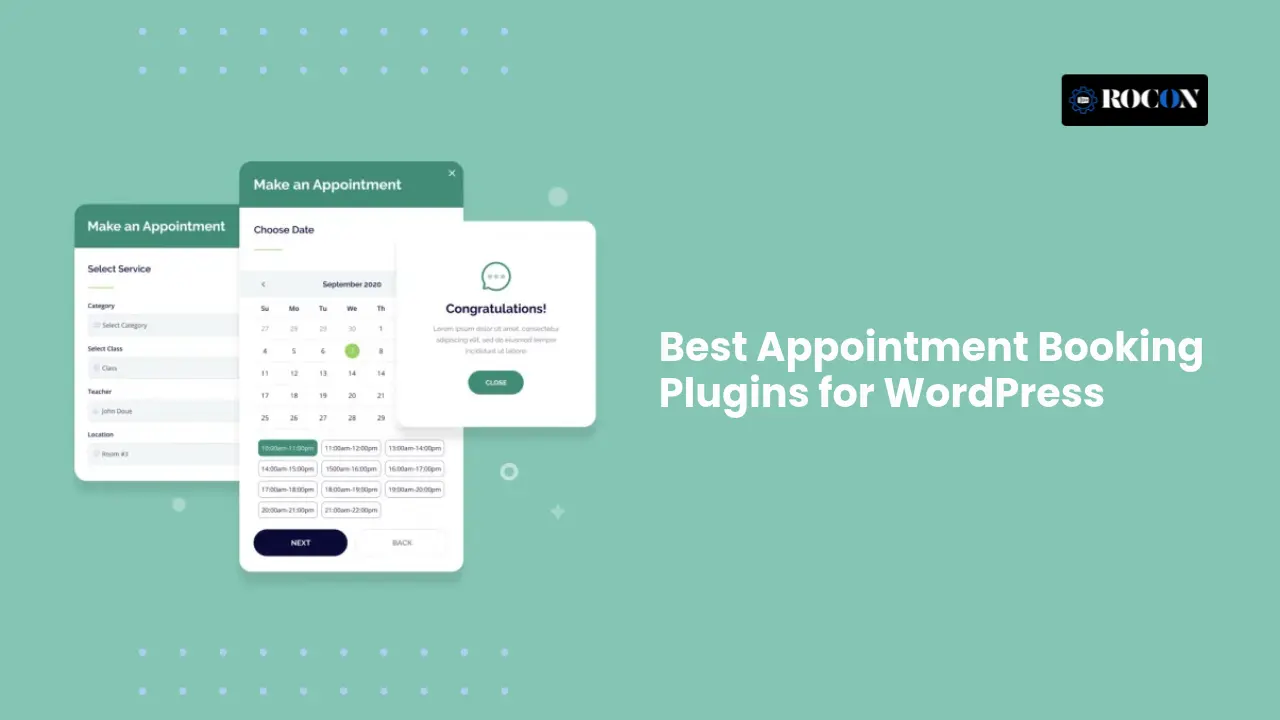


What happens when a client is ready to book an appointment, but your business isn’t ready to take one?
Maybe they’re browsing your site after business hours. Maybe they don’t want to make a phone call just to check your availability. Or perhaps they simply move on because booking an appointment feels like too much work.
It’s a small inconvenience but it can become a missed business opportunity.
Thus, if you’re also running a service business on WordPress, perhaps it’s time to give your website a more practical purpose. Because your site can literally do more than showcase your services and show your contact info. It should give visitors a convenient (and easy) way to schedule appointments whenever they want.
An appointment booking plugin for WordPress becomes useful in these kinds of scenarios, from showing available time slots in real-time and managing staff schedules to sending automatic reminders and collecting online payments, the right WordPress booking plugin can take a lot of scheduling work off your hands.
But wait…which one is the right appointment booking plugin for your WordPress business site?
The answer depends on a lot of factors such as your:
We’ve shortlisted 7 of the best WordPress appointment booking plugins in 2026, comparing their features, strengths and limitations, so you get the one that fits right into your business model, be it a salon, clinic, law firm, rental store, or yoga studio.
Short on time? No problem! Below are the best appointment booking plugins for WordPress in 2026.
| Rank | Plugin | Free Version | Starting Price | Best For |
| 1 | BookingPress | Yes | $89/year | All types of service businesses |
| 2 | Webba Booking | Yes | $119/year | Salons, clinics, rentals, and group bookings |
| 3 | Appointment Hour Booking | Yes | €59/year | Businesses with varying appointment durations |
| 4 | WooCommerce Bookings | No | $249/year | WooCommerce stores selling bookings and rentals |
| 5 | Bookster | Yes | $39/year | Small businesses and appointment-based services |
| 6 | WP Booking Calendar | Yes | $79 (regular pricing) | Property rentals and date-based reservations |
| 7 | BirchPress | No | $99/year | Businesses needing basic appointment scheduling |
When we first reviewed BookingPress, it felt like a modern SaaS online booking system built right into our WordPress site. Trusted by 100,000+ businesses, it lives up to its reputation with a laser focus on user friendliness and booking capabilities. I had a functional booking form embedded on our site in minutes, without getting lost in menus.
The free lite version is pretty generous, offering core booking features alongside online payments, and we would recommend the premium upgrades. It’s perfect for small businesses who want a free, reliable solution. For growing and enterprise-level businesses, the premium version offers 60+ add-ons and 22+ payment gateways.
Pricing: BookingPress offers a generous free version and the paid plan starts from $89/year.
When we explored Webba Booking, what stood out was how much flexibility it offers. It feels like a booking system made to accommodate different types of service businesses, be it salon, spa, clinic, rental, yoga studio, or business consultancy.
One of its biggest strengths is the flexibility of its booking options. You can allow customers to book multiple services, add several time slots to a booking, or even book services together via a shopping cart-style experience.
Besides, the admin side offers some good controls for managing business hours, holidays, staff schedules and appointment availability.
Pricing: Webba Booking offers a free version. The Pro plan starts at $119 per year for one website.
When we tested and reviewed Appointment Hour Booking, it became clear that this plugin is a little bit different from the other two appointment booking plugins of WordPress we’ve seen. This right here only works right for businesses that want precise control over their available time slots, service durations and appointment schedules.
One of the more useful things is its automatic availability management. After a customer completes a booking, the time slot gets blocked to prevent double bookings. Apart from that, the plugin even calculates the total price based on the selected services which is very useful for businesses offering appointments with different durations and costs.
Pricing: Appointment Hour Booking offers a free version. The premium version starts at €59/year.
Next on our list is one of the most popular and reliable names in the WordPress booking ecosystem – WooCommerce Bookings.
As its name suggests, this plugin is actually developed by WooCommerce officially. When we tested WooCommerce Bookings, it felt like a natural extension of an existing WooCommerce store. It’s specially made for businesses that want to sell appointments, rentals, reservations and classes just like other products in their online store.
For those wondering then why rank it so low? That’s because of its ratings which is only 2.7/5, expensive yearly plans and steep learning curve. Plus, if you don’t have WooCommerce, you’re going to have a hard time settling things with this system.
Pricing: WooCommerce Bookings is a premium extension that costs $249 per year for one website.
Bookster is one of the best WordPress booking plugins that makes making appointment scheduling accessible. The interface follows a fairly simple approach. It allows you to manage services, staff members, customer appointments and availability from one place.
Best of all, we also liked the fact that Bookster comes with plenty of useful business management features in its free version. You can create unlimited services, manage multiple agents, set individual service durations and prices and even track booking statistics. Besides, the customer dashboard is another good addition as it lets customers to manage their appointments.
Pricing: Bookster offers a free version. The Pro plan starts at $39 per year for one website.
WP Booking Calendar feels like a booking solution built around one important thing – giving businesses complete control over their availability. It supports everything from full-day reservations and hourly bookings to property rentals and event bookings.
The setup is simple. You can create a booking calendar, set available and unavailable dates, customize the booking form plus even allow visitors to submit reservations from your website. The admin dashboard, when used, makes it a lot simple to review, approve, decline and manage incoming bookings,
The only downside we noticed so far is its outdated interface. Compared to BookingPress and Bookster, its user interface can feel like it came from 2012. But if you can ignore that, you get endless flexibility over your booking resources. You can create separate calendars for different services, properties or rental units, which lets customers check availability before submitting a reservation.
Pricing: WP Booking Calendar offers a free version. Premium plans start at $79 for one website under the regular listed pricing.
Last but not the least, BirchPress Scheduler is more of a old-fashioned appointment booking plugin that gives you all the core booking features right away (Well, BookingPress Lite version does the same).
The booking process is actually simple. You can embed an appointment form on any page or post using a shortcode which lets your allowing visitors check available time slots and schedule appointments from your website
One of the best things is its calendar synchronization. BirchPress works with Google Calendar, iCal, iPhone, Android and Outlook calendars. Plus, it even supports automated email notifications and reminders so both staff members and customers can stay updated about upcoming appointments.
Pricing: BirchPress offers no free edition and its premium plans start at $99 for the Personal plan.
In a nutshell, these are all the best appointment booking plugins for WordPress in 2026. Choosing an appointment booking plugin is about finding a system that fits your unique business workflow. Although every plugin on our list has its strengths, after extensive testing, BookingPress, Webba Booking, and Appointment Hour Booking always stood out as our favorite. It strikes the perfect balance between user friendliness and enterprise-level advanced features that makes booking easy for both your business and your clients.
If you’re planning to build a WordPress website for your service business, choosing the right hosting platform is just as important as selecting the right plugins. Rocon offers managed WordPress hosting with scalable infrastructure, isolated hosting environments, built-in security, and CDN capabilities to help keep your website running smoothly as your business grows. Explore Rocon to find a hosting solution that fits your website’s needs.

Elevate your WordPress hosting with 30-day money-back guarantee, free migration, and 24/7 support.
Sign Up Today

November 6, 2026
Sreekar
Before You Go… Get 1 Month FREE on Rocon Hosting!

Experience lightning-fast speeds

No downtime or hidden fees

Dedicated 24/7 expert support

Leave a Reply