Best Alternatives to GoDaddy Email Hosting: 6 Top Picks
August 19, 2026 Written by Nitish Kumar


August 19, 2026 Written by Nitish Kumar



If you’re looking for alternatives to GoDaddy email hosting, you probably want a few basic things: reliable email, reasonable pricing, good security, and a setup that doesn’t become a headache later.
GoDaddy has changed how it handles email hosting over the years, including changes to providers and plans. That has left some users looking for other options, especially if they want more control over their business email or need features that fit their workflow better.
A custom domain email address is part of how customers see your business. So choosing an email host deserves more thought than simply picking the cheapest plan.
In this guide, we’ll compare popular GoDaddy email hosting alternatives based on pricing, storage, security, collaboration tools, reliability, and ease of migration. You’ll also see where each provider makes sense and where it may fall short.
Whether you run a small business, manage a remote team, or need email for your website, this comparison will help you narrow down the options and choose an email service that fits what you actually need.
People usually start looking for GoDaddy email hosting alternatives when their current email setup no longer fits their needs. The reasons can range from pricing and storage to security, productivity features, and customer support.
GoDaddy’s email offerings have changed over the years, including its use of Microsoft 365 and Titan across different products and markets. This can make it harder to compare plans or understand exactly what you’re getting.
For a small business with only a few inboxes, the price difference may not seem significant. But as you add employees and email accounts, monthly costs can add up. Renewal pricing, additional features, and other plan costs are also worth checking before choosing an email provider.
Not every business needs the same email features. Some only need a custom domain email and a reliable inbox. Others need shared calendars, cloud storage, video meetings, file sharing, and tools for working with a remote team.
Providers such as Google Workspace and Microsoft 365 combine business email with these productivity tools, which can make them a better fit for teams that want everything in one place.
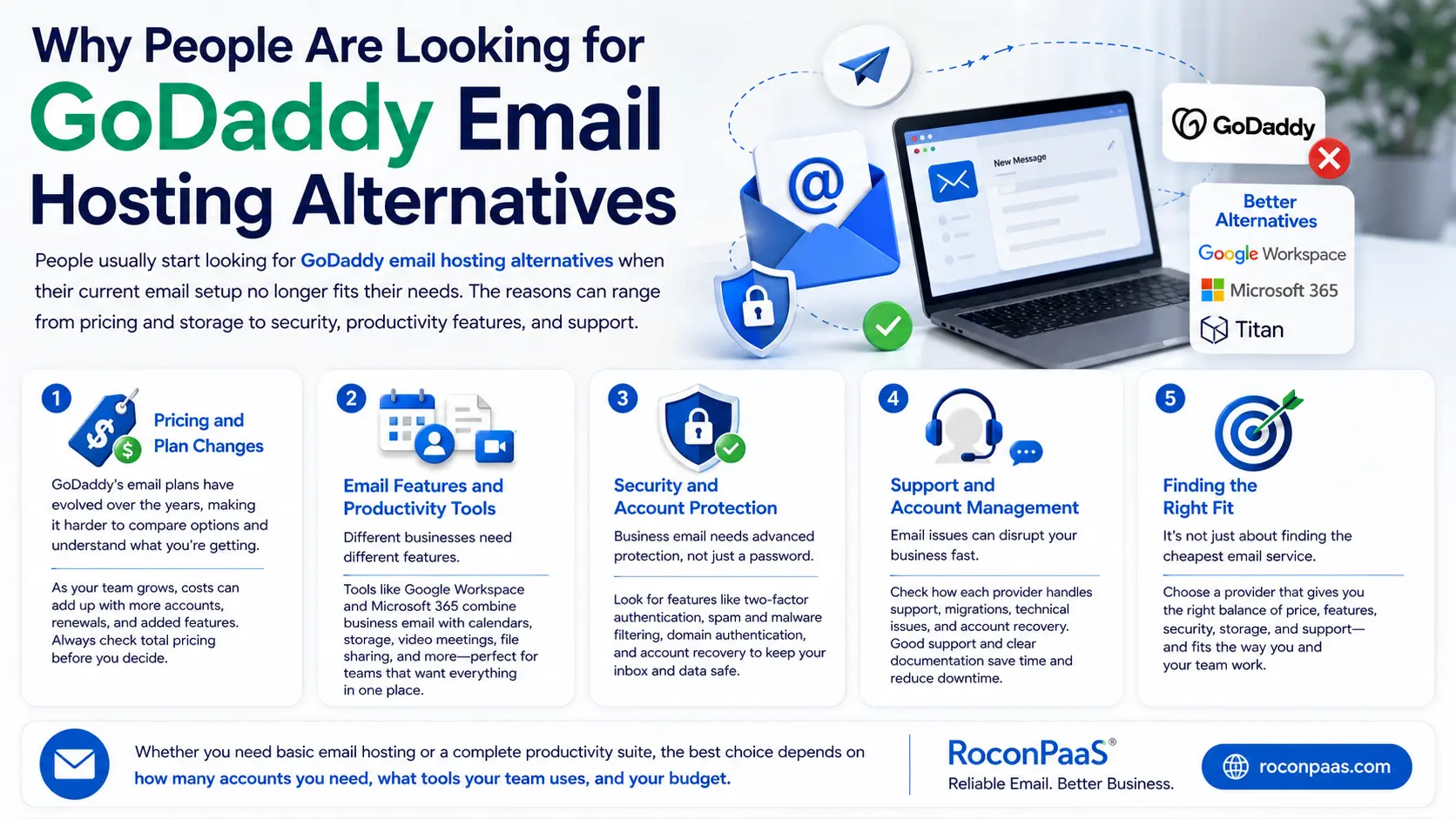
Business email needs more than a password. Features such as two-factor authentication, spam and malware filtering, domain authentication, and account recovery can help protect accounts from common threats.
When comparing GoDaddy alternatives, it’s worth looking at the security features included with each plan rather than assuming every provider offers the same level of protection.
Email problems can quickly become business problems when customers, employees, or vendors rely on those inboxes every day. That’s why support options should be part of the comparison.
Look at how each provider handles account issues, technical support, migrations, and recovery. Clear documentation and accessible support can save time when something goes wrong.
The goal isn’t simply to find an email service that’s cheaper than GoDaddy. You want a provider that fits the way you work and gives you the right balance of price, features, security, storage, and support.
For some businesses, a simple email hosting plan may be enough. Others may get more value from a complete business productivity suite. The best choice depends on how many accounts you need, what tools your team uses, and how much you’re willing to spend.
Selecting the right email hosting provider is crucial for businesses that rely on email as their primary communication tool with clients, customers, and internal teams. Choosing wisely ensures consistent reliability, strong security, and an intuitive user experience, especially when considering alternatives to GoDaddy email hosting.
Email threats like phishing, malware, and account compromises are increasingly common. The best providers offer multi-factor authentication, encrypted connections, robust spam filtering, and AI-powered threat detection. Compliance with privacy standards such as GDPR or HIPAA adds extra assurance for businesses handling sensitive data.
Storage needs vary: some users manage minimal email, while others store large attachments or long-term archives. Flexible storage options prevent unexpected limits and extra fees, making it easier to scale as your team or project grows.
Reliable email hosting should guarantee at least 99.9% uptime. Downtime can disrupt communication, hinder productivity, and damage professional relationships. A high-performance email platform ensures smooth, uninterrupted operation across devices.
Modern providers often include calendars, task management, shared contacts, and real-time collaboration tools, helping teams stay organized without relying on multiple third-party apps.
Switching from GoDaddy should be seamless. Look for providers offering step-by-step migration tools, DNS guidance, or dedicated onboarding support, minimizing downtime and simplifying the transition.
Predictable pricing without hidden fees is key. Consider long-term costs, especially when scaling from a few to multiple inboxes, to ensure your provider remains cost-effective over time.
By carefully weighing security, storage, performance, collaboration tools, migration support, and transparent pricing, businesses can confidently select an email hosting provider that not only replaces GoDaddy but also improves reliability, scalability, and overall user experience.
Below are the most reliable and highly recommended alternatives to GoDaddy email hosting, each offering strong deliverability, modern interfaces, and better overall value. Every provider is reviewed with clarity to help readers decide which one best suits their personal or business needs.
Google Workspace is widely considered the strongest alternative to GoDaddy email hosting, especially for businesses that depend on fast, reliable communication. With Gmail powering its email service, users gain access to one of the world’s most trusted and familiar email interfaces, supported by Google’s infrastructure and 99.9% uptime guarantee.
What makes Google Workspace particularly appealing is the seamless integration with tools such as Google Drive, Calendar, Meet, and Docs. This ecosystem streamlines collaboration, making it easy for teams to share files, schedule meetings, and work in real time. The interface is intuitive enough for beginners yet powerful enough for professionals who manage high volumes of emails and data.
Security is another major advantage. Google provides robust spam filtering, AI-driven threat protection, secure authentication options, and endpoint management features. These tools reduce the likelihood of phishing attacks and unauthorized access, which is critical for businesses handling sensitive information.
Google Workspace also offers straightforward migration options. Users can easily transfer emails from GoDaddy using built-in migration tools or IMAP imports. The process is smooth and requires no advanced technical skills.
Although it costs more than some budget-friendly alternatives, organizations often find the value worthwhile because of the productivity tools, reliability, and convenience it provides. It remains the top choice for professionals seeking a complete cloud-based communication and collaboration suite.
Key Benefits:
Zoho Mail stands out as one of the most cost-effective alternatives to GoDaddy email hosting. It offers an impressive combination of affordability, modern features, and a clean, ad-free interface — making it a strong choice for freelancers, startups, and small businesses.
One of the highlights of Zoho Mail is its suite of collaboration tools. Users can access shared calendars, notes, tasks, and a secure internal chat system, all of which enhance productivity without relying on third-party integrations. Zoho’s webmail interface feels minimalist and intuitive, making it easy for anyone to adapt quickly.
Security is another strong point. Zoho Mail includes built-in malware detection, strong spam filters, and multi-factor authentication. For privacy-conscious users, Zoho’s data centers are known for strict compliance and reliable uptime. Its email retention and e-discovery features are especially beneficial for organizations that need long-term records for compliance.
What makes Zoho particularly attractive is its pricing structure. The platform offers a free plan for single users and very affordable paid tiers for businesses. Despite its low cost, Zoho does not compromise on essential features such as IMAP/POP support, domain authentication, and admin controls.
Migration from GoDaddy is also simplified with dedicated step-by-step tools, making the transition easy even for beginners. Zoho Mail delivers excellent value without sacrificing functionality, making it one of the best budget-friendly replacements for GoDaddy email hosting.
Key Benefits:

For users who prioritize privacy and security above everything else, ProtonMail is one of the strongest alternatives to GoDaddy email hosting. Designed in Switzerland and built around the principle of data protection, ProtonMail offers end-to-end encryption that ensures only the sender and recipient can read the messages. This makes it especially appealing to journalists, legal professionals, activists, and businesses handling confidential information.
Unlike conventional email providers, ProtonMail does not scan or analyze user data. All encryption happens on the user’s device, meaning ProtonMail’s servers cannot decode stored messages. This privacy-first approach is supported by strong security protocols, zero-access architecture, and the strict privacy laws of Switzerland.
Its interface is simple, elegant, and easy to navigate. The platform includes helpful features like encrypted contacts, password-protected messages, and self-destructing emails. ProtonMail also integrates with Proton Calendar and Proton Drive, creating a secure ecosystem for communication and file storage.
While ProtonMail does not provide the same level of collaboration tools as Google Workspace or Zoho Mail, it excels in protecting user anonymity and sensitive content. Migration from GoDaddy is possible through IMAP/SMTP bridges, although some features require a paid plan.
For anyone seeking a secure, private, and surveillance-free email hosting solution, ProtonMail remains a top-tier alternative.
Key Benefits:
FastMail is a lightweight, reliable, and privacy-focused email hosting service that appeals to users who want a simple and distraction-free interface. As an independent provider based in Australia, FastMail is known for its fast performance, clean design, and strong emphasis on user control.
One of FastMail’s biggest advantages is its straightforward approach. It doesn’t try to be a full collaboration suite — instead, it focuses on doing email extremely well. Users gain access to powerful search tools, custom folders, message filtering, and aliases that help manage inbox organization efficiently. The platform integrates seamlessly with third-party calendar apps, task tools, and desktop email clients.
Security and privacy are strong components of FastMail’s service. It does not sell user data or scan emails for advertising purposes. It includes robust spam protection, two-factor authentication, and secure TLS connections across devices. FastMail also supports industry-standard protocols such as IMAP, SMTP, and CardDAV, making it highly compatible with external tools.
Storage options are flexible, and the service includes automatic backups, making data recovery simple. Migration from GoDaddy is quick and user-friendly thanks to its built-in import tool that supports IMAP transfers.
FastMail is an excellent choice for individuals or small teams who want a fast, professional email experience without unnecessary bloat. Its balanced mix of speed, simplicity, and privacy makes it a compelling GoDaddy email alternative.
Key Benefits:
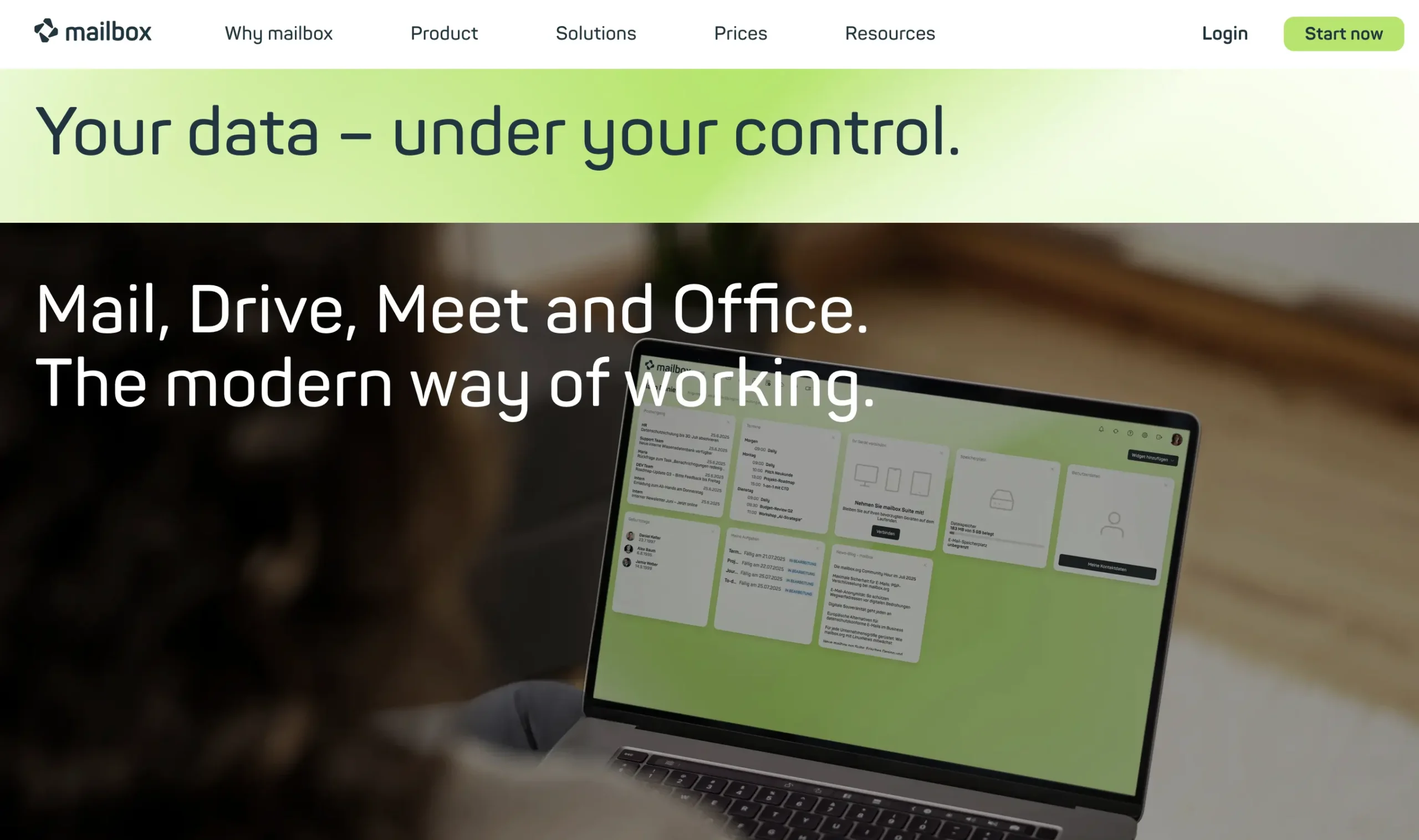
Mailbox.org is a Germany-based email hosting provider designed for users who value privacy, encrypted communication, and full control over their data. Operating under strict European data protection regulations, Mailbox.org offers a secure and reliable alternative to GoDaddy email hosting.
The platform includes end-to-end encryption, PGP support, and a host of security features that protect against phishing, malware, and unauthorized access. For users in legal, financial, or research sectors, this level of protection provides essential peace of mind.
Beyond email, Mailbox.org offers an integrated suite that includes cloud storage, calendars, video conferencing, address books, and task management tools. This makes it a strong productivity hub for remote teams and professionals who prefer an all-in-one secure software environment.
The webmail interface is modern and customizable, allowing users to create dashboard layouts that suit their workflow. Storage plans are flexible and scalable, accommodating everything from personal use to full enterprise-level operations.
Migration from GoDaddy is straightforward using IMAP imports or manual transfers. Mailbox.org also provides clear documentation and responsive support to help users transition smoothly.
For privacy-focused users who want a secure yet feature-rich email hosting environment, Mailbox.org is one of the strongest alternatives available.
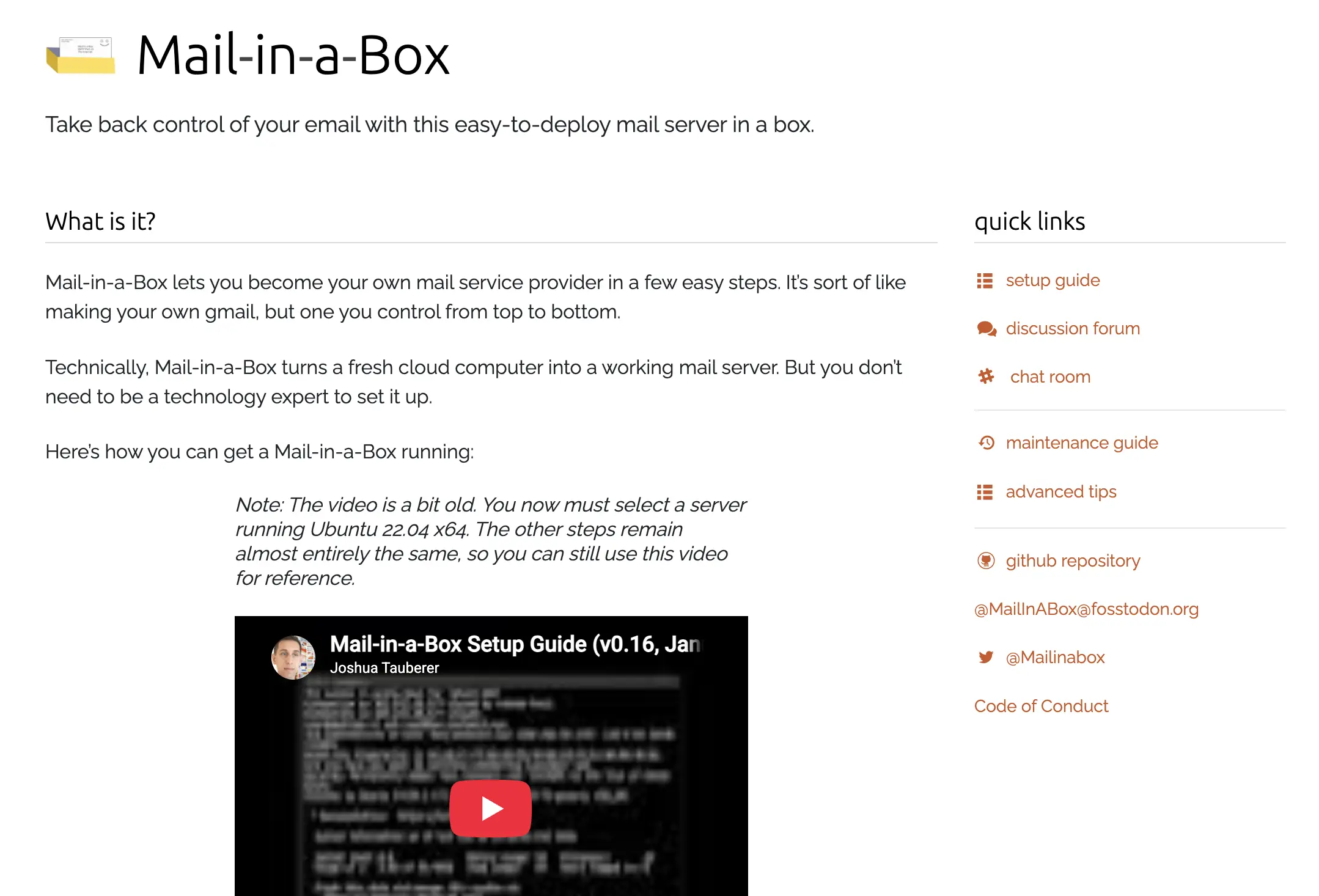
Mail-in-a-Box is a unique alternative to GoDaddy email hosting, ideal for advanced users who want full control over their email server. As an open-source project, it allows individuals and organizations to create their own email hosting environment using a cloud server.
This option appeals especially to tech-savvy users who prefer not to rely on commercial providers. With Mail-in-a-Box, users can configure IMAP, SMTP, spam filtering, SPF/DKIM/DMARC authentication, and DNS — all essential components for professional email reliability.
One of the biggest advantages is cost. Since the tool itself is free, users only pay for the cloud server (typically $5–$10 per month). This creates a budget-friendly yet highly configurable solution.
Security is another strong point. Mail-in-a-Box includes built-in spam filters, firewall tools, and automated SSL setup. However, because it is self-hosted, ongoing maintenance is required to keep the server updated and protected.
The interface is clean and simple, but not as modern or user-friendly as commercial alternatives. Migration from GoDaddy is possible using IMAP imports, although users must configure everything manually.
Mail-in-a-Box is an excellent choice for developers and system administrators who want independence, customization, and full ownership of their email hosting environment.
Choosing the best alternative to GoDaddy email hosting becomes easier with a clear comparison of features. The table below highlights the core strengths of each provider, helping readers quickly identify which solution aligns with their needs.
| Provider | Pricing | Free Tier | Security Level | Collaboration Tools | Migration Support | Best For |
| Google Workspace | Moderate–High | No | Excellent | Full suite (Drive, Docs, Meet) | Easy, automated | Businesses & teams |
| Zoho Mail | Low–Moderate | Yes | Strong | Calendars, notes, tasks, chat | Guided steps | Budget users & startups |
| ProtonMail | Moderate | Limited | Excellent (E2E encryption) | Minimal | IMAP bridge | Privacy-focused users |
| FastMail | Low–Moderate | No | Strong | Basic productivity | Easy import | Users who prefer simplicity |
| Mailbox.org | Low–Moderate | No | Enterprise-grade | Calendar, storage, conferencing | Manual/IMAP | Secure EU hosting |
| Mail-in-a-Box | Very low | Yes | Configurable | None built-in | Manual | Developers & advanced users |
Each provider offers unique advantages. Google Workspace is the best all-around platform for professional communication, while Zoho Mail provides excellent features at a low cost.
ProtonMail stands out for privacy, FastMail for simplicity, Mailbox.org for security, and Mail-in-a-Box for total control.
Migrating email from GoDaddy to a new host can seem daunting, but with a structured approach, it’s straightforward. Following best practices ensures minimal downtime and preserves all emails, contacts, and calendar events. Here’s a step-by-step guide for two popular alternatives: Google Workspace and Zoho Mail.
Before starting, back up your existing GoDaddy email data. Use the webmail export or an email client (like Outlook or Thunderbird) to download emails via IMAP. This preserves all messages locally and ensures nothing is lost during migration.
This process may take several hours depending on mailbox size.
Following these steps ensures a smooth transition with minimal disruption. Users benefit from modern interfaces, enhanced security, and improved email reliability once migration is complete.
Price is one of the first things to check when comparing email providers, but the cheapest plan isn’t always the best value. Storage, included tools, support, and the number of users can make a noticeable difference to your monthly bill.
| Provider | Plan & Cost/User/Month | Annual Cost (5 Users) | 3-Year Cost (5 Users) | Notes |
| Google Workspace | Business Starter $6 | $360 | $1,080 | Includes Gmail, Drive, Docs, Meet, strong collaboration tools |
| Zoho Mail | Mail Premium $4 | $240 | $720 | Affordable, ad-free, and fully-featured for small businesses |
| ProtonMail | Professional $8 | $480 | $1,440 | Secure, end-to-end encrypted emails, privacy-focused |
| FastMail | Standard $5 | $300 | $900 | Lightweight, fast, great filtering and organization tools |
| Mailbox.org | Standard $3.99 | $239.40 | $718.20 | European provider, secure, GDPR-compliant, good for privacy-conscious users |
| Mail-in-a-Box | Self-hosted $2/user | $120 | $360 | Fully self-managed, cost-effective for technically proficient users |
Choosing a GoDaddy email hosting alternative comes down to what your business actually needs. Price, storage, security, collaboration tools, support, and ease of migration can all make a difference, especially when you’re managing multiple email accounts.
Google Workspace, Microsoft 365, Zoho Mail, Proton Mail, and Fastmail each take a different approach, so don’t choose based on price alone. Check the features included in the plan and the total cost before making the switch.
If you’re also reviewing your WordPress hosting, Rocon offers managed WordPress hosting with container-based infrastructure, backups, security, and performance management.
The best email provider is the one that gives your team the features you need without adding unnecessary cost or complexity. Compare your current GoDaddy plan with the alternatives and choose the option that makes the most sense for your business.
There isn’t one best option for everyone. Google Workspace is a strong choice for businesses that need email and collaboration tools, while Zoho Mail works well for businesses looking for affordable email hosting. Proton Mail is a better fit for privacy-focused users, and Fastmail is a good option if you prefer a simple email service.
Google Workspace can be a better fit if your business needs more than basic email. It combines custom business email with tools such as Google Drive, Docs, Calendar, and Meet. If you only need a simple mailbox, however, a lower-cost email provider may be enough.
Yes. Zoho Mail is a popular option for small businesses, startups, and users who want business email without paying for a large collaboration suite. It supports custom domains, multiple business features, security controls, and email migration tools.
Yes. You can migrate your existing GoDaddy email to another provider using IMAP or the migration tools offered by the new service. Before changing your DNS records, it’s a good idea to back up your existing mail and make sure all user accounts have been created on the new platform.
First, create your accounts with the new email provider and verify your domain. Then update the domain’s MX records to point to the new provider. You may also need to update SPF, DKIM, and DMARC records to authenticate outgoing email. Test sending and receiving messages after the DNS changes take effect.

Elevate your WordPress hosting with 30-day money-back guarantee, free migration, and 24/7 support.
Sign Up Today


Before You Go… Get 1 Month FREE on Rocon Hosting!

Experience lightning-fast speeds

No downtime or hidden fees

Dedicated 24/7 expert support

Leave a Reply