How to Hide Content on WordPress with Membership Works
August 12, 2026 Written by Saurabh Rai


August 12, 2026 Written by Saurabh Rai


If you run a WordPress website with members-only resources, you may need to keep certain pages, posts, or sections away from visitors who don’t have access. This is useful for subscription sites, online communities, nonprofits, professional organizations, and businesses that offer premium content.
Membership Works makes it easier to manage this type of access. You can create membership levels and decide which content each group can view. Instead of making every page available to everyone, you can keep selected resources for registered or paying members.
You can also use different access rules depending on how your website is set up. For example, you might restrict an entire page, protect a post, or show different content based on a member’s access level. This gives you more control over how visitors move from public content to members-only resources.
The goal isn’t simply to hide a page. A good membership setup should also make it clear what visitors can access and what they need to do to unlock restricted content.
In this guide, we’ll show you how to hide content on WordPress with Membership Works, including how to set up membership levels, restrict content, and manage access for different types of members.
Membership Works is an all-in-one WordPress membership plugin for creating and managing memberships, events, directories, and private member content. It was developed for organizations that want simplicity and ease without multiple applications for each little function while using business-focused nonprofit, club, or organization solutions.
Key features of MembershipWorks include the following:
Looking for a Membership Works alternative? If you want more flexibility when creating membership levels and restricting WordPress content, ARMember is another best option to consider. It lets you create multiple membership plans, restrict full or partial content, manage member access and build membership experiences directly within WordPress. This can make it a best-fit choice for businesses, online communities, course websites, and other membership based websites.
Restricting content can make sense when your website offers resources or features specifically for members. It gives you more control over what visitors can access and helps create a clear reason to join.
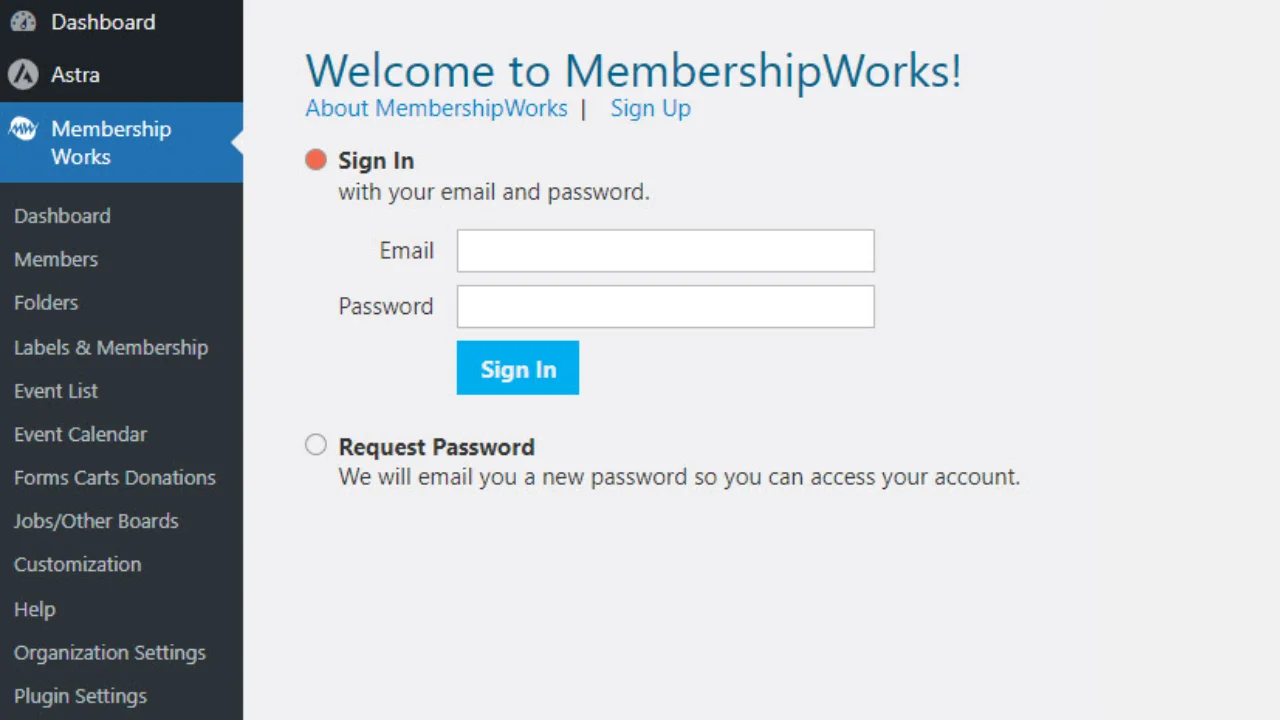
Before you can hide content, you need to install and configure the MembershipWorks plugin on your WordPress website.
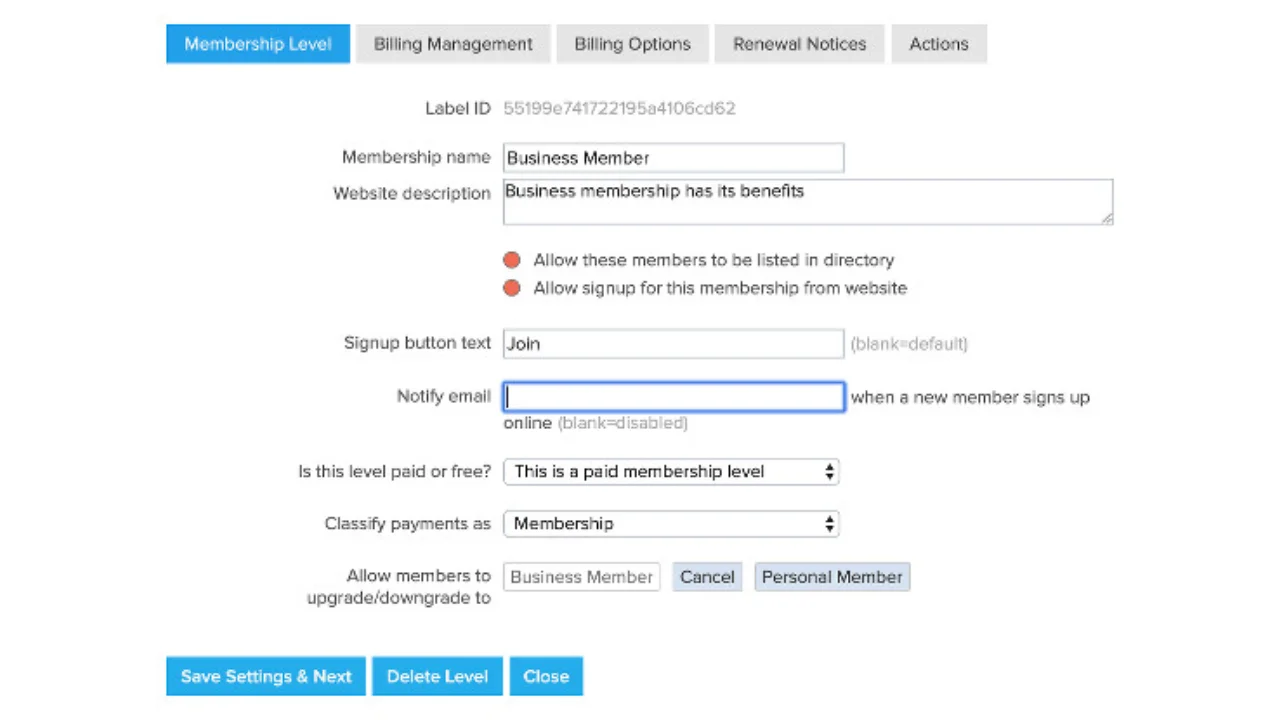
Membership levels determine what content members can access. For instance, you might have levels like Basic, Premium, and VIP, each with different permissions.
MembershipWorks allows you to restrict access to specific posts, pages, or custom post types.
If you want to hide only parts of a page or post, you can use short codes provided by Membership Works.
Wrap the content you want to hide with the following shortcode:
html
[membership level=”premium”]
This content is visible only to Premium Members.
[/membership]
For example:
html
[membership level=”VIP”]
Welcome, VIP Members! Here is your exclusive content.
[/membership]
This method is perfect for creating mixed-content pages where some sections are public and others are restricted.
After setting up content restrictions, test your website to ensure everything is working as expected.
Instead of showing an error or blank page, you can redirect non-members to a signup or login page.
Provide a friendly message for users who try to access restricted content but don’t have the required membership level.
Example message:
“This content is available for Premium Members only. Click here to join and unlock exclusive benefits!”
For more advanced setups, you can display different content depending on a member’s membership level. This can be useful when you want premium members to see a specific offer while other visitors see a login or upgrade message.
For example:
<?php if (is_member_level(‘premium’)) { ?>
<p>Welcome, Premium Member! Here’s your exclusive offer.</p>
<?php } else { ?>
<p>Please log in or upgrade your membership to access this content.</p>
<?php } ?>
This approach gives you more control over the member experience, but it requires basic PHP knowledge. If you’re not comfortable editing PHP files, it’s safer to use Membership Works’ built-in content restriction and shortcode options instead.
Restricting content on your WordPress site using Membership Works offers several benefits, both for your business and your members. Whether running a nonprofit, subscription-based service, or exclusive online community, here’s how concealing content will raise the value of your website.
One of the major advantages of content hiding is that it gives a feeling of exclusivity to your members. In providing access to premium resources, tools, or information not accessible by other non-members, you actually give them a reason to continue staying subscribed. By updating this hidden content regularly, be it blogs, videos, downloadable resources, or even events reserved only for members, they will always see added value in their membership.
For example, if one operates an education-based website, then special tutorials or downloadable materials for paying members will surely keep them coming for more and ready for renewal.
Membership Works allows you to create tiered levels of membership that allow different levels of access to various levels of premium content. You are able to show valuable resources or services behind the tiers, making users upgrade their memberships. It is a well-known paywall model where you can get recurring revenue by giving your members something worth paying for.
For instance, a fitness mentor may want to give away free blog posts to the general public but make advanced workout plans, diet guides, and one-on-one coaching videos accessible only to premium subscribers. This method generates revenue and helps you scale your business in a sustainable manner.
Hidden content creates a sense of belonging and exclusivity. When your members get access to areas or content that others cannot view, they will feel appreciated and part of something special. That sense of community is particularly important for nonprofits, clubs, or organizations where the relationship between the members and the organization is crucial to success.
For example, you can build a private forum or directory that only members can access. This will spur networking and collaboration. It adds value to the membership and creates loyalty and advocacy for your brand.
The hidden content can be a powerful tool in lead generation. You are able to create really valuable content, like e-books, guides, or tutorials, and make it available only for registered members. In this way, by gating your most attractive resources, you encourage visitors to sign up and provide you with leads for further marketing efforts.
For instance, a marketing agency may be offering a free guide on how to create effective email campaigns, but in exchange, it requires users to make a free membership to download. When people come into your system, you can upsell them to the premium plans or services.
The class it gives to your website, for limiting access in some parts, just adds polish and professionalism. And it creates value or exclusivity when people see the dividing line between what’s public and what is for members only. A website with everything on full display does not necessarily come across as professional or serious as one that shows clear tiers of access.
This works particularly for professional associations, private clubs, or exclusive communities. Members will feel they are part of something special and enhance your organization’s reputation and credibility.
If your organization deals with sensitive information, then the hiding of content can ensure that only authorized users have access. For instance, a nonprofit might want to restrict access to internal documents, meeting minutes, or volunteer lists. Membership Works makes it easy to manage this level of access and ensure confidentiality.
Membership Works lets you deliver a far more customized experience by setting access controls on which level of member has access to certain content. Higher-tiered members will get more valued resources, advanced tools, or even access to special events. This kind of segmentation means that your members only see what they need to and feel motivated to upgrade up the tier ladder to access greater benefits.
For example, a technology company providing SaaS can limit access for basic members to user guides while premium members get access to advanced tutorials, webinars, and one-on-one support.
Hiding content does not mean that your site disappears from search engine visibility. You can still enable search engines to index parts of restricted content, tease its value to non-members, and entice organic visitors to sign up or buy a membership when they get a glimpse of what’s on the other side of the gate.
Additionally, Membership Works provides you with the ability to partially protect any page or post. You may, for example, want to show a summary or teaser of something and then hide the rest from nonmembers. This action will not only drive your SEO performance but also drive user engagement to move your overall website traffic upwards.
If visitors can still see content that should be restricted:
If some protected content is still visible, check the shortcode around the restricted section. Make sure it is placed correctly and that the membership level matches the one you want to restrict.
If the shortcode looks correct, temporarily disable other plugins and test the page again. A plugin conflict can sometimes interfere with Membership Works access settings.
Caching can cause old versions of a page to remain visible after you change its membership settings. Clear your WordPress cache and CDN cache, if applicable, then test the page in a private browser window.
Membership Works is one of the effective ways to make the contents of WordPress hidden for a professional membership-based website. Whether you want to provide special resources, block access to premium content, or even create a private community, Membership Works offers all the features to reach your goals.
With this, you will go through setting up content restrictions, managing memberships, and adding value to your website for your audience. Membership Works empowers you to create a tailored experience for your users while maximizing your website’s potential. Follow these strategies starting today and make your membership website a reality!

Elevate your WordPress hosting with 30-day money-back guarantee, free migration, and 24/7 support.
Sign Up Today

Before You Go… Get 1 Month FREE on Rocon Hosting!

Experience lightning-fast speeds

No downtime or hidden fees

Dedicated 24/7 expert support

Leave a Reply