Most Secure Managed WordPress Hosting – Fast & Reliable
August 21, 2025 by Nithin


August 21, 2025 by Nithin


If you’re running a WordPress site and take security seriously, choosing the most secure managed WordPress hosting is critical for U.S based businesses, bloggers, and eCommerce store owners that want strong protection against malware, DDoS attacks, and data breaches.
Unlike basic plans, secure WordPress hosting includes proactive security layers such as isolated environments, real-time monitoring, and automatic updates—ensuring your site stays protected at all times.
In this article, we’ll explore the top hosting provider that stands out in terms of security (spoiler: it’s Rocon), what to look for in secure WordPress hosting, and how Rocon compares against popular providers like Bluehost, Kinsta, and WP Engine.
Get your website developed free + exclusive discount on any hosting plan. Only 12 setup slots left this month.
Secure WordPress Hosting is a specialized server environment designed to mitigate CMS-specific vulnerabilities through multi-layered defense.
Unlike standard hosting, it includes server-level firewalls (WAF), isolated container technology, real-time malware scanning, and automated “hardened” configurations that prevent SQL injections and Cross-Site Scripting (XSS) before they reach the application layer.
Managed WordPress Hosting is a specialized hosting service for WordPress websites where all technical aspects of running WordPress are managed by the host.
This includes security, speed, WordPress updates, daily backups, website uptime, and scalability. The idea is to offer a hassle-free hosting experience, so you can focus on your business or content creation without worrying about site maintenance.
Before we get started with the hosting options, let’s talk about why security is so important for WordPress hosting. Cyber attacks are getting more and more clever, and a breach can have serious consequences, including data loss, customer information compromise, and damage to your brand reputation.
WordPress powers over 40% of the internet. This popularity also makes it a prime target for hackers, malware injections, DDoS attacks, and brute-force login attempts.
Given these risks, choosing a hosting provider that prioritizes security is not just a good idea—it’s a necessity.
When looking for the most secure WordPress hosting in USA, these are the non-negotiables:
While security plugins are common, the Top 10 ranked sites focus on Server-Level Hardening. Here is how we secure the Rocon infrastructure:
wp-login.php file.wp-config.php or index.php, our system alerts you immediately.exec(), passthru(), and shell_exec().
When it comes to security, not all hosting providers are created equal. That’s why it’s essential to know what to look for when choosing a managed WordPress hosting service.

When selecting a WordPress host with robust security features, it’s crucial to understand what qualifies as “secure.” To ensure your website is well protected, look for hosts that offer the following key features:
A secure WordPress host should include a web application firewall (WAF) optimised specifically for WordPress.
These firewalls act as a barrier between your site and potential threats, blocking malicious bots and automated attacks before they reach your server.
This proactive defence mechanism is essential for safeguarding your site from emerging threats.
While WordPress does offer automatic updates for core and plugins, opting for a host that provides additional plugin monitoring services can enhance your security.
This feature ensures you’re promptly notified about vulnerabilities in your plugins, allowing you to manually update them and address potential security issues before they become a problem.
A hosting provider that guarantees 99.99% uptime or higher is indicative of a well-maintained and secure infrastructure.
Consistent uptime reflects the host’s commitment to regular updates and maintenance, reducing the risk of unexpected downtime and ensuring your site remains accessible and secure.
Regular backups are a cornerstone of the most secure hosting environment.
Choose a WordPress host that offers automated backups—daily, weekly, or monthly—so you can quickly restore your site to a previous state if needed.
This feature is vital for recovering from data loss or site issues with minimal disruption.
Security issues can arise at any time, making round-the-clock customer support essential.
Opt for a WordPress hosting provider that offers 24/7 support to address any security concerns or technical problems as soon as they occur.
Reliable support ensures that help is available whenever you need it.
By considering these factors when choosing a WordPress host, you can ensure that your website is well-protected against a variety of security threats.
For businesses, a WordPress website directly impacts revenue, reputation, and customer trust. A single security breach can lead to data loss, downtime, lost sales, and long-term damage to brand credibility. That’s why choosing secure WordPress hosting isn’t optional—it’s a business necessity.
For businesses, a WordPress website directly impacts revenue, brand reputation, and customer confidence. A single security breach can cause data loss, downtime, and lost sales, making secure WordPress hosting a critical business requirement.
Standard hosting often relies on basic protection, leaving sites exposed to malware, brute-force attacks, and plugin vulnerabilities. The most secure managed WordPress hosting uses infrastructure-level security like isolation, real-time monitoring, and automated updates to reduce risk.
Website security affects search rankings and performance. Infected or unstable sites can be blocklisted, slow down, or go offline. Secure managed WordPress hosting helps maintain uptime, site integrity, and consistent user experience.
With secure WordPress hosting in place, businesses avoid reactive firefighting. Teams can focus on growth, conversions, and customer acquisition while their website remains protected by a security-first hosting environment.
Your WordPress site isn’t just content or design—it’s the infrastructure that keeps it running 24/7. At Rocon, our platform is built with an auto-healing architecture that detects and fixes failures—plugin crashes or container outages—without human intervention.
Whether you’re targeting users in New York, Delhi, or anywhere in between, you can be sure your site stays online, fast, and secure even when things go wrong.
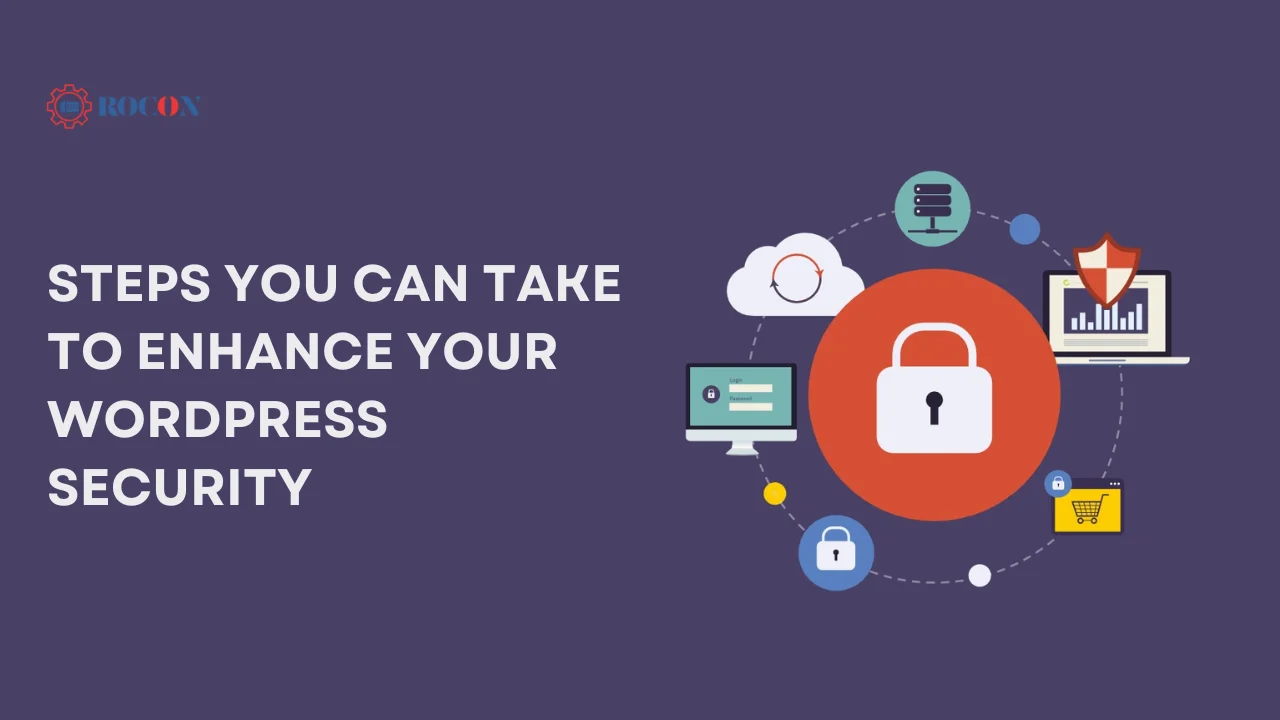
While choosing a secure managed WordPress host is crucial, there are additional steps you can take to further enhance your site’s security.
One of the most common ways hackers gain access to WordPress sites is through outdated software. Make sure your WordPress core, themes, and plugins are always updated to the latest versions. This practice helps close security vulnerabilities that could be exploited by attackers.
Pro Tip: Enable automatic updates for your WordPress site to ensure you’re always running the latest versions.
Weak passwords are an open invitation for hackers. Ensure that all user accounts on your WordPress site use strong, unique passwords. Use a password manager to generate and store complex passwords securely.
Pro Tip: Implement two-factor authentication (2FA) to add an extra layer of security to your login process.
Brute force attacks involve hackers trying multiple username and password combinations to gain access to your site. Limiting login attempts can help prevent these attacks by locking out users after a certain number of failed attempts.
Pro Tip: Use a plugin like “Login Lockdown” or “Limit Login Attempts Reloaded” to set up login attempt limits on your WordPress site.
Security plugins like Wordfence or Sucuri can provide an additional layer of protection for your WordPress site. These plugins offer features like firewall protection, malware scanning, and real-time threat detection.
Pro Tip: Regularly monitor your site’s security logs to identify and address potential threats before they become serious issues.
Continuous monitoring is essential for maintaining your site’s security. Set up alerts for any unusual activity, and regularly review your site’s security settings to ensure everything is in order.
Pro Tip: Use a service like “Pingdom” or “UptimeRobot” to monitor your site’s uptime and receive alerts if your site goes down.
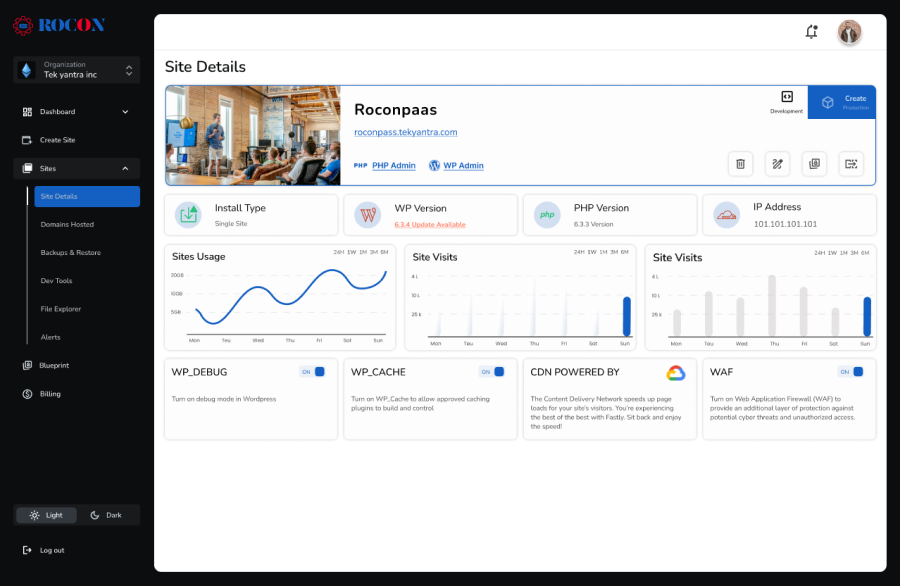
Your Premier Managed WordPress Hosting Solution. Rocon’s hosting environment is built upon a foundation of scalability, security, and performance.
With features like auto-healing technology, containerized Kubernetes solutions, and upcoming integrations like a Web Application Firewall (WAF) and a CDN, Rocon is tailored for businesses, content creators, and enterprises looking to maximize their online potential.
Rocon understands the importance of reliable and efficient website management, and as such, offers a suite of tools that make managing WordPress sites easier than ever.
From automatic nightly backups and scalable database options with Amazon RDS to an in-house file management system that replaces traditional SFTP, every feature is designed to provide a seamless, secure, and scalable hosting experience.
Let’s see how Rocon stacks up against other big names in secure hosting:
| Feature | Rocon | WP Engine | Kinsta | Bluehost |
| Isolated Hosting | ✅ (Containers) | ❌ | ❌ | ❌ |
| Free SSL & CDN | ✅ | ✅ | ✅ | ❌ |
| Built-in WAF | ✅ | ✅ | ✅ | ❌ |
| Daily Backups | ✅ (Automatic) | ✅ | ✅ | ❌ (Paid) |
| 24/7 Support | ✅ | ✅ | ✅ | ✅ |
| Free Trial | ✅ 30 Days | ❌ | ❌ | ❌ |
| Price | $1.99/mo | $25/mo | $30/mo | $2.95/mo |
Rocon offers enterprise-grade security without the enterprise price tag.
| Security Feature | Rocon (Enterprise) | Standard Hosting |
| Server Architecture | Isolated Containers (LXC/LXD) | Shared OS Resources |
| Firewall (WAF) | AI-Driven Edge Protection | Basic ModSecurity |
| Malware Handling | Real-time Auto-Patching | Manual Notification only |
| DDoS Mitigation | Layer 3, 4, & 7 Protection | Basic Layer 3/4 only |
| Backups | Immutable Off-site Backups | Local Server Backups |
| SSL Management | Automated Wildcard Deployment | Manual/Basic Let’s Encrypt |
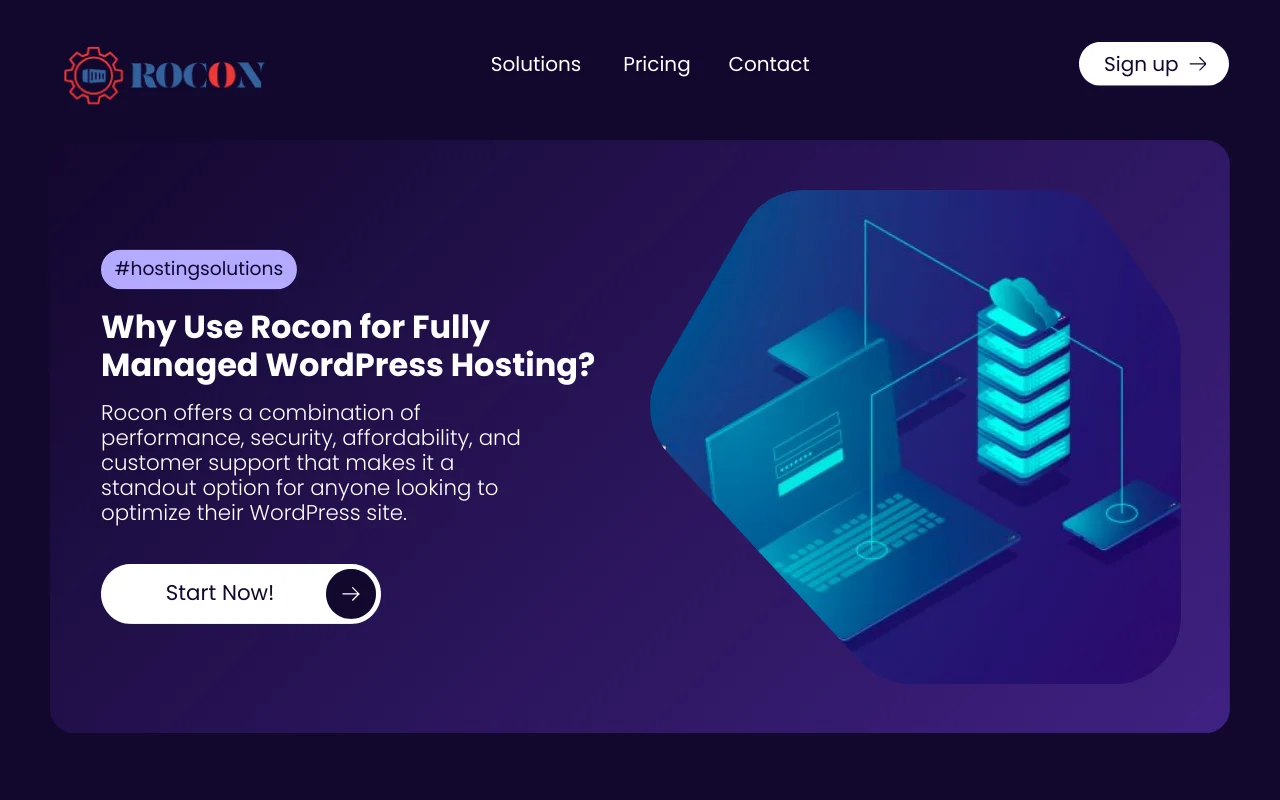
Rocon’s commitment to security sets it apart from other managed WordPress hosting providers. Security features advanced firewall, regular security audits, and real-time malware scanning. Best for businesses that care about security.
Rocon offers a full suite of security features designed to protect your WordPress site from even the most sophisticated threats. Their enterprise-grade firewall, combined with daily automated backups and SSL certificates, ensures that your site is always secure.
Rocon performs regular security audits to identify and fix vulnerabilities in your site. This means your site is always up to date with the latest security best practices, so you won’t get breached.
Rocon’s 24/7 monitoring ensures that any potential security threats are identified and addressed immediately. Their support team is always available to help with any security issues, so you can sleep at night.
Rocon’s hosting environment is optimized for both performance and security, ensuring that your WordPress site runs smoothly while remaining protected against threats.
Their integration with a global CDN further enhances site security by distributing content across multiple servers, reducing the risk of DDoS attacks.
Most secure managed WordPress Hosting is an excellent choice for anyone who wants to focus on growing their business or blog without the technical hassles of website management. With a provider like Rocon, you’re not just getting a service; you’re gaining a partner dedicated to your website’s performance and security.
Dive into the world of managed WordPress hosting with Rocon and experience a hassle-free, robust, and scalable hosting environment designed for success.
Securing your website is not something to be taken lightly. By choosing the most secure managed WordPress hosting provider with robust security measures, and implementing. Best practices to enhance your site’s security, you can minimize the risk of falling victim to cyber attacks.
Take the first step towards a safer online presence today by exploring our Rocon hosting options and implementing our expert tips.
WordPress managed hosting if you want a hands-off experience with auto updates, security, and performance. For users who don’t want to worry about the hosting side of things.
Rocon for the best WordPress hosting. It offers High performance, enhanced security, and 24/7 support. It’s an excellent choice for bloggers, small businesses, and agency owners.
Securing your WordPress site involves several steps. Start by using a strong password and enabling two-factor authentication. Always update WordPress, themes, and plugins regularly to patch any vulnerabilities. Use security plugins like Wordfence or Sucuri for added protection. Don’t forget to back up your site frequently and ensure your hosting provider offers solid security measures.
Use a host with built-in security like firewalls, DDoS protection, and SSL. Update your server software to fix bugs and restrict access with strong passwords or SSH keys. Encrypt sensitive data and limit access to your server with permissions and monitoring tools.
Absolutely! Secure WordPress hosting plans, including those from Rocon, often include automatic backups as part of their service. These backups mean that if anything goes wrong, like a site crash or security breach, you can restore your site to a previous safe version with minimal downtime.
Yes, secure WordPress hosting providers like Rocon offer protection against Distributed Denial of Service (DDoS) attacks. This is done through advanced firewalls, traffic filtering, and other security measures to detect and stop bad traffic before it hits your site.
WordPress hosting is highly secure when it’s managed by a specialized provider. Security depends on server isolation, real-time malware scanning, firewall protection, automatic WordPress updates, and regular backups. Managed WordPress hosting platforms use containerized environments, proactive threat monitoring, and hardened servers to prevent cross-site attacks. With proper hosting, WordPress is as secure as any modern CMS.
The best secure WordPress hosting provider offers container-based isolation, managed security, and automatic updates. Roconpaas stands out by providing dedicated containers per website, enterprise-grade firewalls, malware protection, daily backups, and automatic WordPress core and plugin updates. This architecture eliminates shared hosting risks and delivers higher security, performance, and uptime for WordPress sites.
Secure WordPress hosting typically costs starting at $1.99 per month, depending on features and performance. Entry-level shared hosting may be cheaper, but it lacks strong security. Managed WordPress hosting like Roconpaas offers advanced security, isolated containers, automated backups, and expert support at a budget-friendly price—making it a cost-effective solution for businesses, bloggers, and agencies.
Nithin is a WordPress hosting and performance specialist with over 6 years of hands-on experience in managed WordPress hosting, server optimization, and website security. He works closely with container-based infrastructure and cloud platforms to help businesses build faster, more secure, and scalable WordPress websites.
Elevate your WordPress hosting with 30-day money-back guarantee, free migration, and 24/7 support.
Sign Up Today

Before You Go… Get 1 Month FREE on Rocon Hosting!

Experience lightning-fast speeds

No downtime or hidden fees

Dedicated 24/7 expert support


Leave a Reply