Headless CMS vs WordPress 2026: Which One Should You Choose?
September 18, 2026 Written by Maria


September 18, 2026 Written by Maria
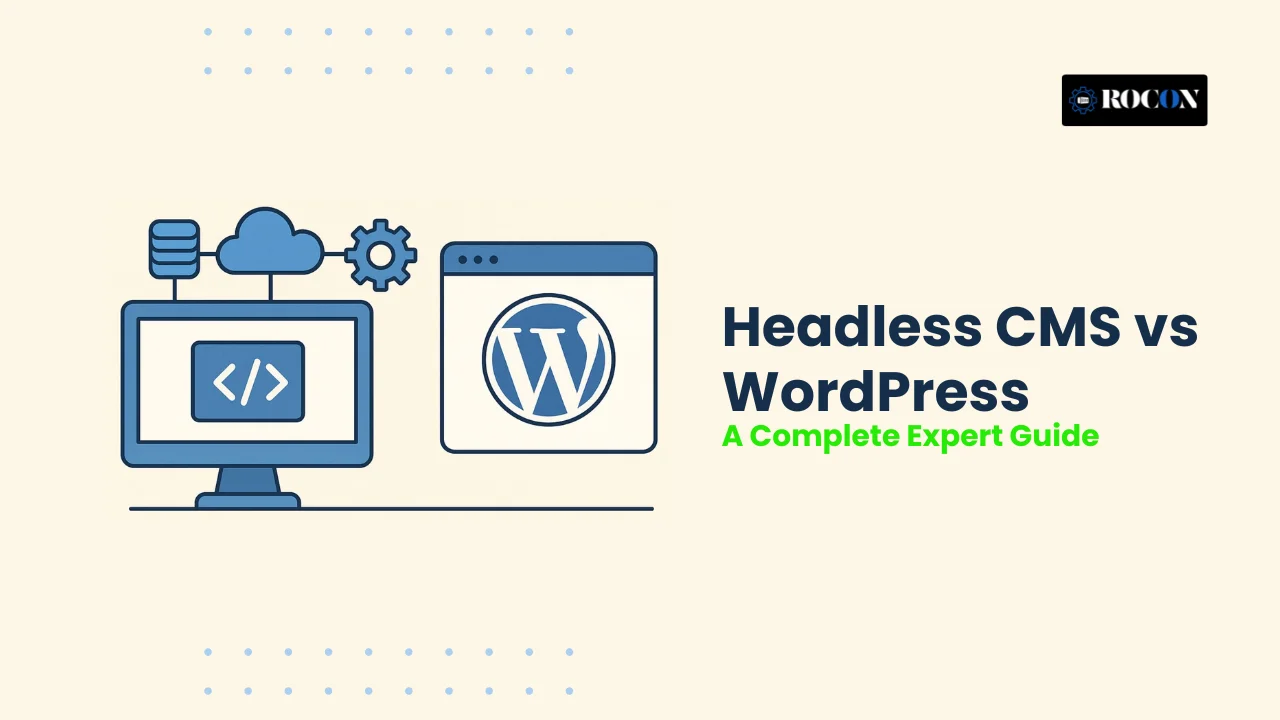


For most content sites, blogs, e-commerce stores, and small-to-medium businesses: WordPress is the right choice. For developer-led teams building multi-channel applications, enterprise platforms, or high-traffic digital products: a headless CMS is the better architecture. And for teams who want WordPress’s familiar editor with modern frontend performance: headless WordPress — using WordPress purely as a content API — is a growing third option worth understanding.
This guide covers all three approaches honestly, so you can make a confident decision without platform bias. WordPress now powers 43.6% of all websites globally (W3Techs, April 2026) — which means it works exceptionally well for millions of teams. But there are real, specific cases where a different architecture wins. Here is exactly when each approach is the right call.
WordPress is an open-source content management system (CMS) that allows you to create, manage, and publish websites without needing advanced technical skills. It combines two main components in one platform: the backend, where you write and manage content, and the frontend, which controls how your website looks to visitors.
It powers over 40% of websites globally and for good reason. With thousands of themes, plugins, and a simple dashboard, WordPress makes it easy to build and manage websites without needing deep technical knowledge.
What makes WordPress powerful is its ecosystem. With thousands of themes and plugins, you can easily customize design, add features, and scale your website. Whether you’re building a blog, business website, or online store, WordPress gives you all the essential tools in one place.
WordPress is designed for users who may not have technical knowledge. The dashboard is simple, and you can create pages, upload images, and publish content with just a few clicks. Most hosting providers also offer one-click installation, making setup quick and easy.
One of the biggest strengths of WordPress is its flexibility through themes and plugins. You can change the design of your website or add new features like contact forms, SEO tools, or eCommerce functionality without building everything from scratch.
WordPress includes built-in features that help with search engine optimization, such as clean URLs and easy content organization. Plugins like Yoast SEO and Rank Math further simplify tasks like adding meta tags, generating sitemaps, and improving content readability.
You can start a WordPress website with minimal investment. Basic hosting, a domain, and free themes are often enough to launch. As your site grows, you can upgrade features gradually without large upfront costs.
WordPress has a massive global community. This means you can easily find tutorials, forums, and solutions for almost any issue. Whether you’re a beginner or an experienced user, help is always available.
WordPress websites need regular updates for the core system, plugins, and themes. If not maintained properly, this can lead to issues or vulnerabilities over time.
While WordPress can be fast, performance often depends on how the site is built. Using too many plugins or heavy themes can slow down your website if not optimized properly.
Because WordPress is widely used, it is a common target for attacks. Most risks come from outdated plugins or weak configurations. Proper security practices, such as regular updates and strong passwords, are essential.
WordPress connects the backend and frontend together, which can limit flexibility for highly customized or modern applications. Advanced setups may require custom development or workarounds.
Many features rely on plugins, and not all plugins work perfectly together. Updates or conflicts between plugins can sometimes cause errors or break parts of the website.
A headless CMS is a modern type of content management system that separates the content layer (backend) from the presentation layer (frontend). Unlike traditional systems, it does not control how your website looks. Instead, it focuses only on storing and managing content, and then delivers that content through APIs to any frontend—such as a website, mobile app, or other digital platform.
They store content in a central system (often in the cloud) and allow developers to fetch and display it anywhere using modern technologies like React, Vue, or Next.js. The core idea is simple: create content once and use it across multiple platforms.
For example, the same content can appear on your website, mobile app, and even smart devices without rewriting it. This makes headless CMS a strong choice for businesses that want to deliver a consistent experience across different channels.
A headless CMS gives complete freedom to developers. Since the frontend is separate, they can design and build the user experience using any framework or technology without restrictions. This makes it easier to create fully customized digital experiences.
Because content is delivered through APIs and often combined with modern frontend frameworks, websites can load faster. Many setups use CDNs and static site generation, which helps improve performance and user experience.
Headless CMS is built to handle growth. You can manage large amounts of content and deliver it across multiple platforms without affecting performance. This makes it suitable for enterprises and high-traffic applications.
Content is stored in one place and can be reused across websites, apps, and other platforms. This allows businesses to maintain consistency and update content easily across all channels.
Since the backend and frontend are independent, you can update or change your frontend technology without affecting your content. This makes it easier to adapt to new trends and technologies over time.
A headless CMS is not a plug-and-play solution. You need developers to build the frontend, manage APIs, and maintain the system. This makes it less suitable for beginners or non-technical users.
The overall cost can be higher because you need development resources, hosting services, and sometimes paid CMS plans. Managing multiple components can increase both setup and maintenance costs.
Since the frontend is separate, content editors may not see exactly how content will look before publishing. This often requires additional tools or custom setups to enable preview functionality.
Unlike traditional CMS platforms, headless CMS does not come with ready-made themes or built-in frontend features. Many functionalities need to be developed or integrated separately.
For beginners, WordPress is one of the easiest platforms to start with. You can set up a website in just a few steps, choose a ready-made theme, and begin publishing content right away. The dashboard is simple to understand, and most tasks—like adding pages, images, or blog posts—can be done without any coding knowledge. This makes WordPress a comfortable choice for bloggers, small business owners, and anyone new to website building.
A headless CMS works differently and may feel less intuitive for beginners. Instead of providing a complete website out of the box, it focuses only on content management. To display that content, you need a separate frontend, which usually requires development work. Even basic tasks, like previewing content or making design changes, often depend on developers. While it offers more control and flexibility, it comes with a learning curve.
WordPress can deliver good performance, but it often depends on how well the site is optimized. Since WordPress handles both the backend and frontend together, factors like themes, plugins, and hosting quality can directly affect speed. To achieve fast loading times, you usually need caching plugins, image optimization, a reliable hosting provider, and regular performance tuning. Without proper setup, websites can become slower as they grow.
A headless CMS is designed with performance in mind. Because the frontend and backend are separated, content is delivered through APIs and can be served using global CDNs. This allows websites and applications to load faster, especially for users in different locations. Developers can also use modern frameworks that are optimized for speed, making it easier to achieve high performance without relying on multiple plugins.
WordPress offers a good level of flexibility through its large collection of themes and plugins. You can quickly change the design, add features, and customize your website without starting from scratch. However, most customizations depend on what themes and plugins allow. If you need something very specific or unique, you may have to rely on multiple plugins or custom development, which can increase complexity over time.
A headless CMS is built for complete flexibility. Since it separates content from the frontend, developers are free to design and build the user experience using any technology they prefer. There are no limitations from themes or predefined structures, which makes it easier to create fully customized websites, apps, or digital experiences. Content can also be reused across different platforms, giving more freedom in how and where it is displayed.
WordPress is simple and works well for managing blogs and standard websites. You can easily create posts, pages, and categories without much setup. For small teams or individual users, this approach is usually enough. However, when it comes to advanced workflows—like approval systems, role-based access, or structured content management—you often need additional plugins. As your team grows, managing content processes can become more complex.
A headless CMS is designed for structured content and team collaboration from the start. It allows you to define clear content models, set user roles, and create workflows for writing, reviewing, and publishing content. This makes it easier for multiple teams—such as editors, marketers, and developers—to work together without confusion. It also helps maintain consistency when managing content across different platforms like websites, apps, or digital products.
WordPress can handle growth, but it often needs proper planning as your website expands. For small to medium sites, it works smoothly without much effort. However, as traffic increases or features become more complex, you may need better hosting, caching tools, and performance optimization. Scaling WordPress is possible, but it usually requires careful management of plugins, databases, and server resources.
A headless CMS is built with scalability in mind. Since it separates the backend from the frontend, it can handle large amounts of traffic and content more efficiently. You can scale different parts of the system independently, which makes it easier to support multiple websites, apps, or global users. This approach is especially useful for growing businesses that need flexibility and consistent performance as they expand.
WordPress is built with content creators in mind, which makes SEO much easier to manage. You can quickly optimize your pages using plugins like Yoast SEO or Rank Math without needing technical knowledge. Tasks such as adding meta titles, descriptions, sitemaps, and schema can be done directly from the dashboard. It also offers real-time editing and preview options, so you can see how your content will look before publishing. This makes the entire content creation and optimization process smooth and beginner-friendly.
A headless CMS takes a more technical approach to SEO. While it can deliver excellent performance and fast-loading pages, most SEO features need to be set up manually. Developers usually handle things like metadata, structured data, and URL structures. This gives more control, but it also means content teams may depend on developers for changes. However, when implemented correctly, a headless CMS can provide strong SEO results, especially for large and complex websites.
WordPress offers a straightforward hosting experience, especially for beginners. You can choose from shared hosting, managed WordPress hosting, or cloud hosting based on your needs and budget. Many providers include one-click installation, automatic updates, backups, and performance optimization, which makes getting started very easy. Platforms like Rocon provide managed environments with container-based infrastructure, helping improve performance and isolation. Overall, WordPress hosting is designed to be simple and accessible for most users.
A headless CMS follows a different hosting approach. The backend (where content is managed) is usually hosted separately from the frontend (the website or app users see). The frontend might be deployed on platforms like Vercel or Netlify, while the CMS runs on another service. These parts are connected through APIs. This setup allows better flexibility, performance, and scalability, but it also means you are managing multiple services instead of one system.
WordPress is widely used, which makes it a common target for security threats. The core system itself is regularly updated and maintained, but most security risks usually come from third-party plugins, themes, or poor configurations. Keeping everything updated, using strong passwords, and adding security tools like firewalls and malware scanners are essential to keep a WordPress site safe. When managed properly, WordPress can meet standard security requirements, but it requires regular attention and maintenance.
A headless CMS improves security by separating the core components—the backend (content management) and the frontend (user interface). Since the admin panel is not directly exposed to the public-facing website, it reduces the chances of common attacks. Content is delivered through APIs, which adds an extra layer of protection when properly secured. This architecture is especially useful for businesses that handle sensitive data or need to follow strict compliance standards.
WordPress is usually more affordable to start and manage, especially for small to medium websites. The main costs include hosting, a domain name, and optionally premium themes or plugins. Since everything content management and frontend is part of a single system, you don’t need separate services to run your website. This reduces both setup time and ongoing expenses. Even when scaling, costs can be controlled by choosing the right hosting.
A headless CMS involves a different cost structure because its core components are separated. You typically pay for the CMS (backend), frontend development, hosting services, and API usage. Developers are needed to build and maintain the frontend, which adds to the overall cost. There may also be expenses for third-party tools, integrations, and ongoing maintenance. While this setup provides flexibility and scalability, it requires a higher initial investment.
WordPress has one of the largest communities in the world, which is a major advantage for users. Its core strength lies in the number of people actively using, developing, and supporting the platform. Whether you are facing a small issue or a complex problem, you can easily find solutions through forums, tutorials, blogs, and videos. There are also thousands of plugins and themes supported by this community, making it easier to extend functionality without building everything from scratch.
Headless CMS platforms also have active communities, but they are usually smaller and more focused on developers. The core support system relies heavily on official documentation, developer forums, and platforms like GitHub. While the information available is often detailed and technical, it may not be as beginner-friendly. In many cases, businesses rely on paid support plans or internal development teams to handle issues and improvements.
WordPress supports integrations mainly through plugins and built-in APIs. Its core strength is the availability of ready-made plugins that connect your website with popular tools like CRMs, email marketing platforms, analytics tools, and eCommerce systems. For most standard use cases, these integrations are easy to set up and require little to no coding. However, when dealing with more complex systems or custom workflows, you may need additional development work or multiple plugins, which can increase complexity.
A headless CMS is built with an API-first approach, which makes integrations one of its strongest features. The core system is designed to connect easily with different platforms such as mobile apps, CRMs, eCommerce tools, and other digital services. Since content is delivered through APIs, it can be reused across multiple channels without limitations. This makes it a strong choice for businesses that operate on multiple platforms and need a centralized way to manage and distribute content.
Choosing WordPress makes sense when you want a platform that is simple, reliable, and focused on content publishing. Its core strength lies in combining content management and design in one system, making it easy to build and manage websites without dealing with complex technical setups.
WordPress is designed for users of all skill levels. The dashboard is clean and intuitive, allowing you to create pages, publish blogs, and manage media without needing coding knowledge. This makes it a great option for bloggers, small businesses, and marketers who want full control over their website.
If you want to go live quickly, WordPress is one of the fastest solutions available. With ready-made themes and plugins, you can build a professional website in a short time. There’s no need to start from scratch, which helps save both time and effort.
WordPress is an affordable choice, especially for small to medium-sized websites. You can start with basic hosting and free tools, then upgrade as your needs grow. Since it doesn’t require heavy development work, the overall cost remains manageable for most users.
WordPress is built with content in mind, which makes it highly effective for SEO. You can easily manage URLs, meta tags, and content structure. Plugins further simplify optimization, allowing you to improve rankings without deep technical knowledge.
One of the biggest advantages of WordPress is its global community. There are thousands of tutorials, forums, and resources available to help you solve problems quickly. You also get access to a wide range of plugins and themes, making it easy to extend your website’s functionality.
A headless CMS is a strong choice when your project goes beyond a simple website and requires flexibility, performance, and multi-platform delivery. Its core strength lies in separating the backend (content management) from the frontend (presentation), which allows you to build and scale digital experiences without limitations.
One of the main reasons to choose a headless CMS is its ability to manage content in one place and deliver it across multiple platforms. Whether it’s a website, mobile app, or other digital interface, the same content can be reused and distributed through APIs. This makes it easier for businesses to maintain consistency across all channels.
Headless CMS is designed for projects that require high scalability and custom functionality. Since developers are not restricted by themes or predefined structures, they can build tailored user experiences that match specific business needs. This is especially useful for large applications, enterprise websites, or platforms that handle complex workflows.
With a headless approach, the frontend can be built using modern frameworks and optimized for performance. Content is delivered through APIs and often served via CDNs, which helps reduce load times and improve user experience. This setup is beneficial for websites that need to handle high traffic or deliver fast content globally.
A headless CMS allows you to adapt as your technology stack evolves. Since the frontend and backend are independent, you can update or replace one without affecting the other. This makes it easier to adopt new tools, frameworks, or platforms as your business grows.
If you have a development team, a headless CMS provides full control over how your application is built. Developers can use modern tools, frameworks, and workflows to create scalable and maintainable systems without being limited by a traditional CMS structure.
Migrating from a headless CMS to WordPress may look complex at first, but with the right approach, it becomes a structured and manageable process. The key is to focus on the core components—content, structure, frontend, and performance—while ensuring nothing important is lost during the transition.
Start by reviewing all your existing content. Identify what you need to migrate—pages, blog posts, media files, and metadata. Since headless CMS content is usually structured in a flexible way, you need to map it into WordPress formats like posts, pages, categories, and custom post types. A clear plan at this stage will save time later.
Most headless CMS platforms allow you to export content using APIs or JSON files. Extract all important data, including text, images, SEO metadata, and URLs. Make sure the exported data is clean and organized, as this will directly affect how smoothly the import works.
Set up your WordPress website on a reliable hosting platform. Managed hosting solutions like Rocon can simplify this step by providing optimized environments, staging features, and built-in performance tools. Configure basic settings such as permalinks, categories, and user roles before importing content.
Now, import your content into WordPress. You can use built-in import tools, plugins, or custom scripts depending on the complexity of your data. During this process, ensure that content is placed correctly—blog posts under posts, static content under pages, and structured data using custom post types if needed.
Unlike headless CMS, WordPress combines frontend and backend. Choose a theme or use a page builder to recreate your website design. Focus on maintaining a clean layout, mobile responsiveness, and fast loading speed. This step is important to ensure your new site matches or improves the previous user experience.
Preserving SEO is critical during migration. Make sure your URLs (permalinks) match the old structure as closely as possible. Transfer meta titles, descriptions, and image alt texts. Set up redirects for any changed URLs to avoid broken links and ranking drops.
Before going live, test everything carefully. Check pages, images, internal links, forms, and navigation. Also review site speed, mobile performance, and security settings. Fix any errors to ensure a smooth user experience.
Once everything is tested, launch your WordPress site. After going live, monitor traffic, rankings, and performance. Tools like Google Search Console can help identify issues early, so you can make adjustments if needed.
Choosing between WordPress and a headless CMS is not about which one is better overall—it’s about which one fits your specific needs. Both approaches are built on different core ideas. WordPress brings everything into one place, making it easier to manage content, design, and functionality without much technical effort. A headless CMS, on the other hand, separates these components to give more flexibility and control, especially for complex digital experiences.
If your focus is on content publishing, quick setup, and ease of management, WordPress provides a complete and practical solution. But if your project involves multiple platforms, custom applications, or advanced scalability, a headless CMS offers the structure needed to handle that level of complexity.
In the end, the right choice depends on how you plan to build, manage, and grow your digital presence. Understanding your goals, available resources, and long-term vision will help you choose a system that supports your workflow without creating unnecessary challenges.
Not always. For content sites, blogs, e-commerce, and small-to-medium businesses, WordPress is usually the better choice due to ease of use, lower cost, and extensive plugin ecosystem. A headless CMS is better for multi-channel applications, enterprise-scale platforms, and developer-led projects where full frontend flexibility is required.
WordPress combines content management and frontend presentation into one system. A headless CMS separates them — it manages content only and delivers it via APIs to a separately built frontend. This separation gives more flexibility and performance control but requires more technical expertise and higher development cost.
Yes. WordPress includes a built-in REST API and supports GraphQL via the WPGraphQL plugin, allowing you to use WordPress purely as a content backend while building your frontend with React, Next.js, or any modern JavaScript framework. This approach is called headless WordPress and is increasingly popular in 2026.
Both achieve excellent SEO results. WordPress has mature SEO plugins like Yoast and RankMath that make optimization straightforward without developer involvement. A headless CMS requires developers to implement SEO features manually but enables superior Core Web Vitals scores through modern framework optimization. When implemented correctly, headless SEO often outperforms standard WordPress in page speed and TTFB.
WordPress itself is free. Managed hosting costs range from $3 to $35 per month. Headless CMS platforms add platform costs: Contentful starts at $300 per month for professional plans, Strapi is free to self-host, and Sanity has a free tier with paid plans from $99 per month. Total cost of ownership for a headless setup is typically 2 to 5 times higher than a comparable WordPress setup when accounting for development time.
Choose a headless CMS when: you need to deliver content to multiple platforms simultaneously such as website and mobile app; your team has dedicated frontend developers comfortable with React or similar frameworks; you need extreme performance at very high traffic scale with 50,000 or more monthly pages; or your content must be consumed by third-party systems via API. For all other situations, WordPress with managed hosting is the more practical and cost-effective choice.

Elevate your WordPress hosting with 30-day money-back guarantee, free migration, and 24/7 support.
Sign Up Today
September 28, 2026
Nitish

Before You Go… Get 1 Month FREE on Rocon Hosting!

Experience lightning-fast speeds

No downtime or hidden fees

Dedicated 24/7 expert support

Leave a Reply