Auto Scaling Hosting for WordPress: For Growing Sites
May 21, 2026 Written by Ankit Kumar


May 21, 2026 Written by Ankit Kumar
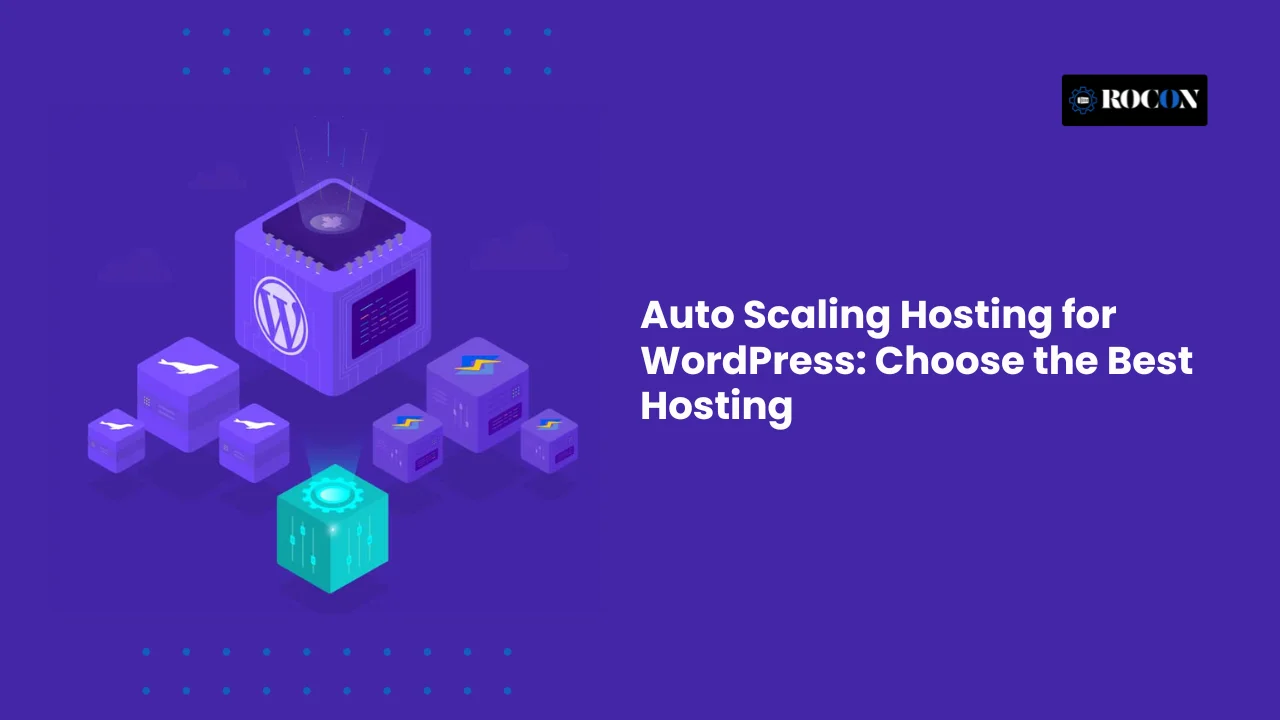


Auto scaling hosting for WordPress refers to a modern hosting architecture that automatically adjusts server resources based on real-time demand. Instead of running on fixed limits, the hosting environment expands CPU, memory, or container instances when traffic increases and scales them back when usage drops. This dynamic allocation ensures that WordPress sites remain stable and fast without manual intervention.
This approach is especially important because WordPress traffic is rarely consistent. Marketing campaigns, SEO growth, product launches, seasonal sales, and viral content can trigger sudden traffic surges. On traditional shared or dedicated hosting, these spikes often lead to slow load times, server errors, or complete downtime. Fixed resources simply cannot adapt quickly enough to changing demand.
Auto-scaling hosting eliminates this bottleneck. By responding instantly to traffic changes, it maintains performance and availability even during unexpected peaks. Site owners no longer need to estimate traffic in advance or upgrade servers preemptively. The infrastructure adapts automatically, reducing both risk and operational complexity.
For growing WordPress sites, auto-scaling also improves cost efficiency. Resources are used only when needed, rather than being permanently allocated and underutilized. This makes it a practical solution for businesses that experience fluctuating workloads.
This guide explains how auto-scaling hosting works for WordPress, why it has become crucial for performance-driven websites, and how to evaluate hosting platforms based on real capabilities—not marketing claims. The goal is to help readers choose a scalable WordPress hosting solution with clarity and confidence.
WordPress runs on a dynamic architecture. Every page load triggers PHP processes, database queries, and background server tasks. As traffic increases, these processes multiply instantly, placing direct pressure on CPU, memory, and concurrent connections. Unlike static websites, WordPress cannot rely on cached files alone to handle growth.
This is where many traditional hosting models fall short. Shared hosting enforces strict CPU and memory limits, causing performance throttling long before a site reaches real traffic potential. VPS hosting offers more control but requires manual upgrades and ongoing monitoring. Even managed WordPress hosting often restricts PHP workers or concurrent users, creating hidden ceilings that surface during traffic spikes.
Auto-scaling hosting addresses these limitations by adjusting resources in real time. Instead of waiting for manual intervention, the infrastructure expands automatically when demand rises and contracts when usage stabilizes. This keeps WordPress sites responsive during peak activity without locking users into oversized plans.
There are several reasons WordPress sites benefit directly from auto-scaling:
Auto-scaling protects performance when demand peaks while avoiding wasted spend during low-traffic periods. For businesses running promotions, content-driven sites, or fast-growing WordPress platforms, auto-scaling is no longer optional. It becomes a foundational requirement for stability, speed, and long-term growth.
Auto-scaling for WordPress depends on continuous monitoring and automated resource management. The system tracks live server metrics such as CPU usage, memory consumption, and concurrent requests. When usage crosses predefined thresholds, scaling actions trigger automatically—without manual input.
Most modern auto-scaling platforms rely on container-based architecture rather than single-server setups. Each WordPress site runs inside isolated containers, making it easier to scale specific workloads independently.
The auto-scaling process typically follows these steps:
This model uses horizontal scaling instead of vertical upgrades. Rather than resizing one server, the platform adds parallel environments to handle load efficiently.
Key components that make auto-scaling possible include:
Together, these elements ensure WordPress remains fast, stable, and accessible—even during sudden traffic spikes—without service interruptions or performance degradation.
Auto-scaling in WordPress hosting is not a single, universal approach. Different providers implement scaling in different ways, and understanding these differences helps separate true scalability from marketing language.
Horizontal auto-scaling adds or removes server instances automatically based on real-time demand. Instead of stretching one server, the platform distributes traffic across multiple parallel environments. This model improves fault tolerance, supports higher concurrent traffic, and removes single points of failure. Container-based WordPress hosting platforms typically rely on this method, making it the most reliable form of auto-scaling.
It offers:
Vertical scaling increases resources such as CPU or RAM on a single server. While this can handle moderate traffic growth, it comes with clear limitations. Hardware caps still apply, scaling slows during large spikes, and downtime risks increase. Many hosts promote this as auto-scaling, but it lacks true elasticity.
This approach helps, but it has limits:
Some managed WordPress hosts scale PHP workers dynamically to handle more requests. This improves concurrency at the application level but does not scale the underlying infrastructure. Database and server limits still apply.
When evaluating auto-scaling hosting for WordPress, always verify what actually scales—and how.
Below are platforms known for real or partial auto-scaling based on their public documentation and infrastructure approach.
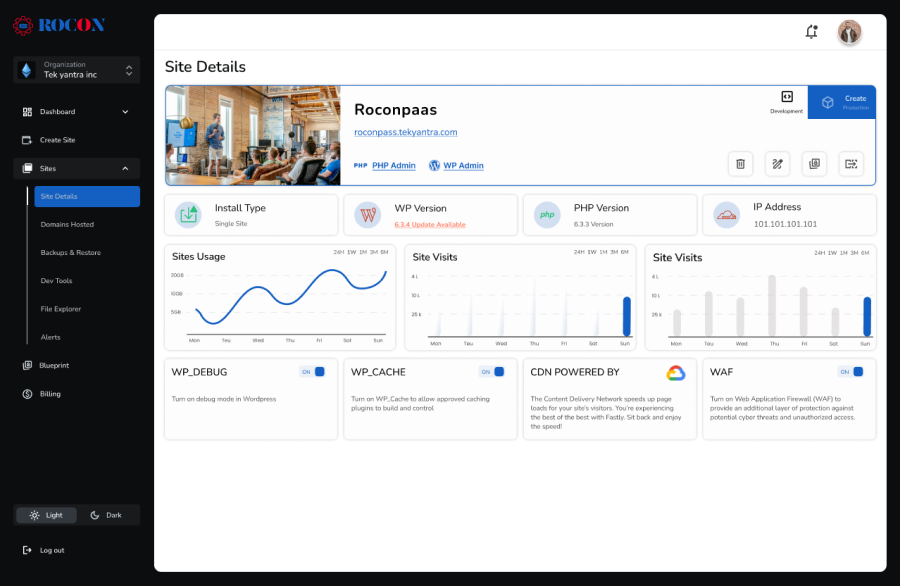
Rocon is a modern, container-based WordPress hosting platform built specifically for performance, scalability, and operational simplicity. Unlike traditional WordPress hosts that rely on fixed server limits, Rocon uses Kubernetes-powered infrastructure to deliver true auto-scaling hosting. Each WordPress site runs inside its own isolated container, ensuring consistent performance, stronger security, and predictable behavior even under heavy load.
This architecture is especially valuable for businesses, agencies, and growing websites where traffic patterns are unpredictable. Whether traffic increases due to an SEO breakthrough, a paid marketing campaign, seasonal demand, or a product launch, Rocon automatically adjusts CPU and memory resources in real time. There is no need for manual upgrades, emergency plan changes, or overpaying for unused capacity during low-traffic periods.
By combining managed WordPress hosting with cloud-native scaling, Rocon bridges the gap between developer-grade infrastructure and user-friendly management. It is designed for teams that need reliability today and flexibility for future growth.
Because Rocon combines auto scaling with managed WordPress tools, it suits both business growth and performance stability.
Best for: Agencies, high-traffic WordPress sites, and ecommerce stores.
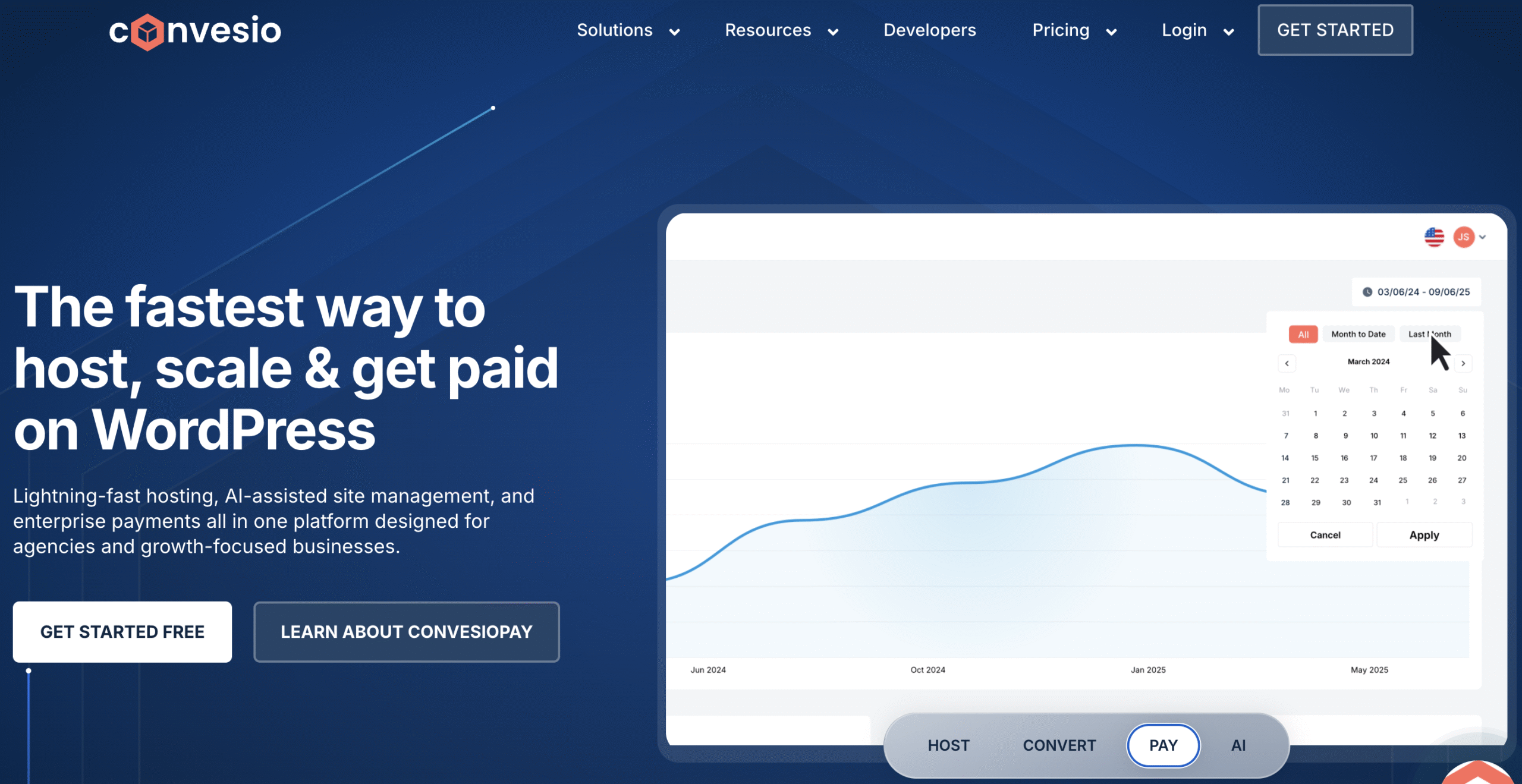
Convesio is a managed WordPress hosting platform built on a container-based architecture designed to solve one of WordPress’s biggest challenges: handling sudden traffic spikes without downtime. Instead of running each site on a single server, Convesio distributes WordPress across multiple lightweight containers. As traffic increases, the platform automatically adds containers in real time, allowing sites to scale smoothly without manual configuration or DevOps expertise.
This approach improves both performance and reliability. Load balancing is built into the platform, so traffic is evenly distributed across containers. If one container fails, another instantly takes over, reducing the risk of outages. For businesses that rely on WordPress for lead generation, e-commerce, or content marketing, this architecture helps maintain consistent speed and availability during high-demand periods.
Convesio is designed for teams that want advanced scalability without managing complex infrastructure. It removes the need for capacity planning, server tuning, or emergency upgrades when traffic surges unexpectedly.
Best for:

Cloudways Autonomous is built for WordPress sites that require consistent performance under unpredictable traffic conditions. Unlike traditional managed hosting, this platform runs on a Kubernetes-based infrastructure that automatically distributes traffic across multiple containers. As visitor demand increases, resources scale horizontally in real time, helping sites stay fast and stable without manual server tuning or DevOps involvement.
The platform is designed with reliability and uptime in mind. Cloudways Autonomous includes built-in load balancing, high availability, and automatic failover, ensuring that no single server becomes a bottleneck. This makes it particularly suitable for revenue-driven WordPress sites where downtime or slow performance directly impacts conversions. Cloudways leverages proven cloud technologies and managed automation to reduce operational risk while maintaining enterprise-level performance standards.
By abstracting away complex cloud configurations, Cloudways Autonomous allows businesses and developers to focus on growth rather than infrastructure management, while still benefiting from modern container orchestration and scalable architecture.
Best for:
Nexcess, a brand under Liquid Web, offers managed WordPress and WooCommerce hosting designed for performance, stability, and ecommerce reliability. Instead of relying on fully elastic container-based auto-scaling, Nexcess primarily scales by dynamically allocating PHP workers and optimizing server-level resources. This approach helps maintain fast response times during moderate traffic surges without requiring site owners to manage infrastructure manually.
The platform is especially well-optimized for WooCommerce stores, where traffic and checkout activity can fluctuate due to promotions, seasonal sales, or email campaigns. Nexcess includes built-in performance tooling, automatic updates, and ecommerce-specific optimizations that reduce operational overhead for store owners. However, scaling still operates within predefined resource limits, meaning sustained traffic growth may require plan upgrades rather than instant, unlimited scaling.
Nexcess stands out for its long-standing reputation in managed hosting, proactive support, and focus on mission-critical business sites. It delivers dependable performance for growing brands that value predictability and support over highly elastic infrastructure.
Best for:

Kinsta is a premium managed WordPress hosting provider built on Google Cloud Platform, known for its strong performance, security, and developer-friendly environment. Each WordPress site runs inside an isolated container with dedicated PHP workers, database resources, and Nginx configuration. This containerized setup improves stability and prevents the “noisy neighbor” issues often seen in shared hosting environments.
While Kinsta can handle traffic spikes efficiently, its scaling model is not fully elastic. Resource availability is tied to plan limits, including visit counts and PHP workers. During high-traffic periods, sites may require plan upgrades or incur overage charges rather than dynamically scaling without limits. This makes Kinsta well-suited for businesses with predictable traffic growth rather than sudden viral surges.
Kinsta emphasizes reliability, enterprise-grade security, and performance optimization over aggressive auto-scaling. For many established brands, this controlled approach provides peace of mind and consistent site speed without the complexity of infrastructure management.
Best for:
Auto-scaling hosting differs significantly from traditional setups.
| Feature | Traditional Hosting | Auto-Scaling Hosting |
| Traffic spikes | Causes slowdowns | Handled automatically |
| Resource limits | Fixed | Dynamic |
| Downtime risk | High | Low |
| Cost efficiency | Overpay or crash | Pay based on usage |
| Manual upgrades | Required | Not needed |
Traditional hosting assumes steady traffic. WordPress rarely behaves that way. Auto-scaling adapts instead of forcing you to predict demand.
Auto-scaling hosting improves WordPress performance by eliminating resource bottlenecks before they impact visitors. Instead of waiting for a server to reach its limits, the hosting infrastructure adjusts in real time based on actual demand. This proactive approach keeps websites fast, stable, and responsive—even during sudden traffic surges.
When traffic increases, auto-scaling hosting automatically allocates additional resources to handle the load. This prevents CPU and memory congestion that often causes slow page rendering on traditional hosting. As a result, WordPress pages load consistently fast during product launches, marketing campaigns, or viral traffic spikes.
Search engines favor websites that deliver reliable performance. Auto-scaling helps maintain stable Core Web Vitals by preventing slowdowns that affect metrics like Largest Contentful Paint and interaction responsiveness. This stability protects rankings and ensures traffic spikes do not harm long-term SEO performance.
High traffic often leads to server errors on fixed-resource hosting. Auto-scaling distributes requests across multiple environments, reducing failed requests and preventing downtime. WordPress continues to operate smoothly even when demand rises unexpectedly.
Visitors experience the same level of speed and responsiveness regardless of traffic volume. Checkout flows, forms, and dynamic content remain accessible, which is critical for ecommerce stores, lead generation sites, and membership platforms.
Rocon uses container-based WordPress hosting with built-in auto-scaling. Each site runs in an isolated container that scales independently based on real usage. This architecture ensures traffic surges on one site never impact others, while automated scaling maintains performance without manual intervention. The result is a reliable, high-performance WordPress environment designed for growth.
Auto-scaling hosting usually costs more than basic shared hosting, but the value becomes clear when real-world usage is considered. Traditional WordPress hosting relies on fixed resources, which often forces site owners to upgrade early to avoid performance issues. This leads to paying for unused capacity during normal traffic periods.
With fixed-resource hosting, traffic spikes can quickly overwhelm servers. Slow load times, errors, or downtime often follow. These issues create indirect costs such as lost sales, reduced lead conversions, and lower search rankings. Recovering from performance failures can be far more expensive than the hosting plan itself.
Auto-scaling hosting aligns costs with actual demand. When traffic increases, additional resources are allocated automatically and billed accordingly. When traffic drops, resource usage scales down, preventing unnecessary spending. This model removes the need to overpay “just in case” and eliminates waste during quiet periods.
For WordPress sites that experience growth, promotions, or seasonal traffic, auto-scaling often delivers better long-term value. Instead of managing upgrades or absorbing downtime losses, site owners pay for performance only when it is needed—making auto-scaling a smart and sustainable investment.
Auto-scaling hosting is designed with reliability at its core. Instead of relying on a single server, workloads run across multiple environments. This distributed setup ensures WordPress sites remain available even when individual components fail.
Most auto-scaling platforms use redundant infrastructure combined with load balancers. When one instance becomes unavailable, traffic automatically shifts to a healthy environment. This failover happens instantly, so visitors experience uninterrupted access without errors or downtime.
Auto-scaling prevents overload by distributing traffic across multiple instances. Rather than pushing a single server beyond its limits, the system balances requests evenly. This approach reduces crash risks and keeps WordPress sites responsive during peak demand.
Security improves significantly in auto-scaling environments due to container isolation. Each WordPress site operates in its own container, separating resources at the operating system level. This isolation minimizes cross-site risks commonly found in shared hosting, where vulnerabilities can spread between accounts.
Load balancers and isolated containers help absorb traffic surges and malicious requests. Combined with automated scaling, this architecture limits the impact of attacks while maintaining availability.
Together, these security and reliability benefits make auto-scaling hosting a safer and more resilient choice for modern WordPress websites.
Auto-scaling hosting is designed for WordPress sites where performance, uptime, and user experience directly affect revenue, leads, or brand trust. As traffic becomes less predictable due to SEO growth, paid campaigns, or seasonal demand, fixed-resource hosting often creates bottlenecks. Auto-scaling removes those limits by adapting infrastructure in real time, which aligns closely with Google’s performance and reliability expectations.
Online stores experience sharp traffic spikes during sales, flash deals, and festive promotions. Auto-scaling ensures product pages, carts, and checkout processes remain fast and stable when demand surges, helping prevent lost sales and abandoned carts.
Product launches and paid campaigns can drive sudden bursts of visitors. Auto-scaling adjusts resources instantly, protecting landing pages and conversion funnels from slowdowns or outages during peak exposure.
Membership sites generate continuous dynamic requests from logins, dashboards, and gated content. Auto-scaling maintains consistent performance as the active user base grows, supporting a smooth experience for logged-in users.
Agencies managing multiple WordPress sites benefit from isolated, scalable environments. Traffic spikes on one client site do not impact others, improving reliability and simplifying performance management across projects.
News, blogs, and media platforms with viral potential need infrastructure that can absorb sudden traffic waves. Auto-scaling handles these spikes seamlessly, preventing crashes while preserving Core Web Vitals.
Small personal or hobby blogs may not require auto-scaling. For business-critical WordPress sites focused on growth, conversions, or reliability, auto-scaling hosting is often a strategic necessity rather than an upgrade.
Migrating a WordPress site to auto-scaling hosting does not need to be complex—especially when using a managed platform like Rocon. A structured migration process ensures performance improves without disrupting live traffic or SEO.
The migration begins with a review of the existing WordPress setup. This includes checking themes, plugins, PHP version, database size, and traffic patterns. Rocon uses this information to plan the optimal container configuration and scaling rules.
A new WordPress environment is created inside a container-based infrastructure. Rocon automatically configures PHP, database connections, SSL, caching, and auto-scaling parameters. Staging environments are also enabled for safe testing before going live.
WordPress files, databases, and media uploads are migrated securely to the new environment. Rocon supports managed migration, ensuring data integrity and minimal downtime during the transfer.
Before switching traffic, the site is tested for performance, functionality, and scalability. Simulated traffic helps confirm that auto-scaling triggers correctly under load.
Once validated, DNS records are updated to point to Rocon. Traffic shifts seamlessly, and users experience improved speed and stability without interruption.
Following this step-by-step approach ensures a smooth transition to auto-scaling WordPress hosting with measurable performance gains.
Choosing the right auto scaling WordPress hosting is no longer just about price or brand familiarity. It directly affects site performance, uptime, security, and your ability to grow without friction. As traffic patterns become more unpredictable, hosting platforms must handle spikes without slowing pages, dropping sessions, or risking downtime. This is where modern, auto-scaling infrastructure clearly separates itself from traditional hosting models.
From a performance standpoint, container-based auto-scaling delivers consistent load speeds and stable Core Web Vitals, even during sudden traffic surges. Fixed-resource hosting struggles under the same conditions. Cost-wise, auto-scaling aligns spending with real usage.
Instead of overpaying for unused capacity or suffering losses from outages, you invest in resources only when your site actually needs them. On security and reliability, isolated containers, automated failover, and managed updates reduce risk and improve resilience compared to shared or single-server setups.
For beginners running small, low-traffic sites, basic hosting may be sufficient initially. However, once traffic becomes inconsistent or revenue is involved, upgrading infrastructure becomes critical. For growing businesses, agencies, ecommerce stores, and high-traffic WordPress sites, relying on fixed plans introduces avoidable performance and scaling risks.
Based on real-world hosting demands and traffic behavior, Rocon stands out as the best overall option. Its container-based WordPress hosting delivers true auto-scaling, strong isolation, and enterprise-grade reliability without requiring DevOps knowledge. Each site runs independently, scales automatically during traffic spikes, and remains stable under load.
If performance, scalability, and long-term growth matter, migrating to Rocon auto-scaling WordPress hosting is the most future-proof decision you can make.
No. Most standard shared or VPS hosting plans provide a fixed amount of CPU and RAM. If your traffic exceeds those limits, your site will slow down or crash. Auto-scaling is a premium cloud feature—like that offered by Rocon—that dynamically adjusts resources to meet real-time demand.
Auto-scaling prevents “resource throttling.” When traffic increases, the architecture scales up PHP workers and memory instantly. This ensures your Time to First Byte (TTFB) remains low and your site stays fast, even during massive traffic spikes.
No. A CDN (Content Delivery Network) caches static files like images and CSS across global servers. Auto-scaling, however, manages the backend server power (CPU/PHP) required to process dynamic requests, such as WooCommerce checkouts or database queries. You need both for a truly high-performance site.
It depends on the provider. Some hosts charge “overage fees” per visitor. At Rocon, our auto-scaling is built into our containerized architecture to provide high-availability without the unpredictable “bill shock” found in traditional cloud providers like AWS or Google Cloud.
No. Auto-scaling happens at the server level (Infrastructure). No WordPress plugin can “scale” your server’s hardware. While optimization plugins like WP Rocket improve efficiency, auto-scaling is handled by the hosting environment’s orchestration (such as Kubernetes). While auto-scaling handles the server power, you should also use one of the best WordPress speed optimization plugins to ensure your front-end is as lean as your backend is strong.

Elevate your WordPress hosting with 30-day money-back guarantee, free migration, and 24/7 support.
Sign Up Today


Before You Go… Get 1 Month FREE on Rocon Hosting!

Experience lightning-fast speeds

No downtime or hidden fees

Dedicated 24/7 expert support

Leave a Reply